
How to check AI-generated business documents for errors
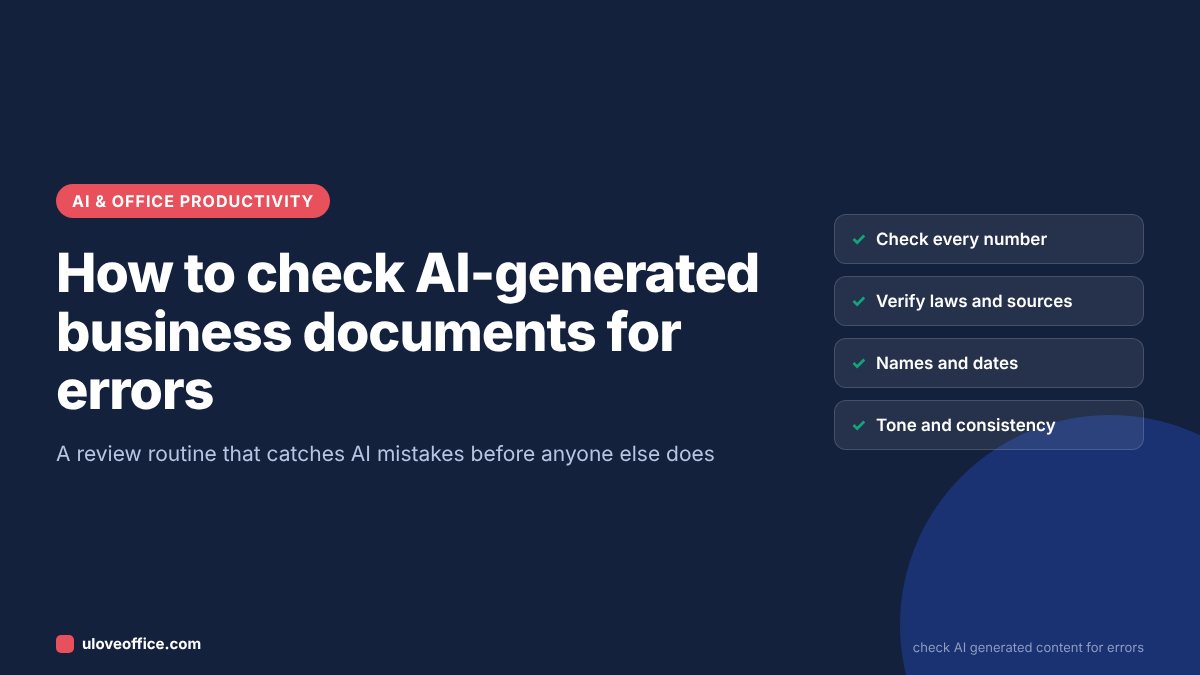
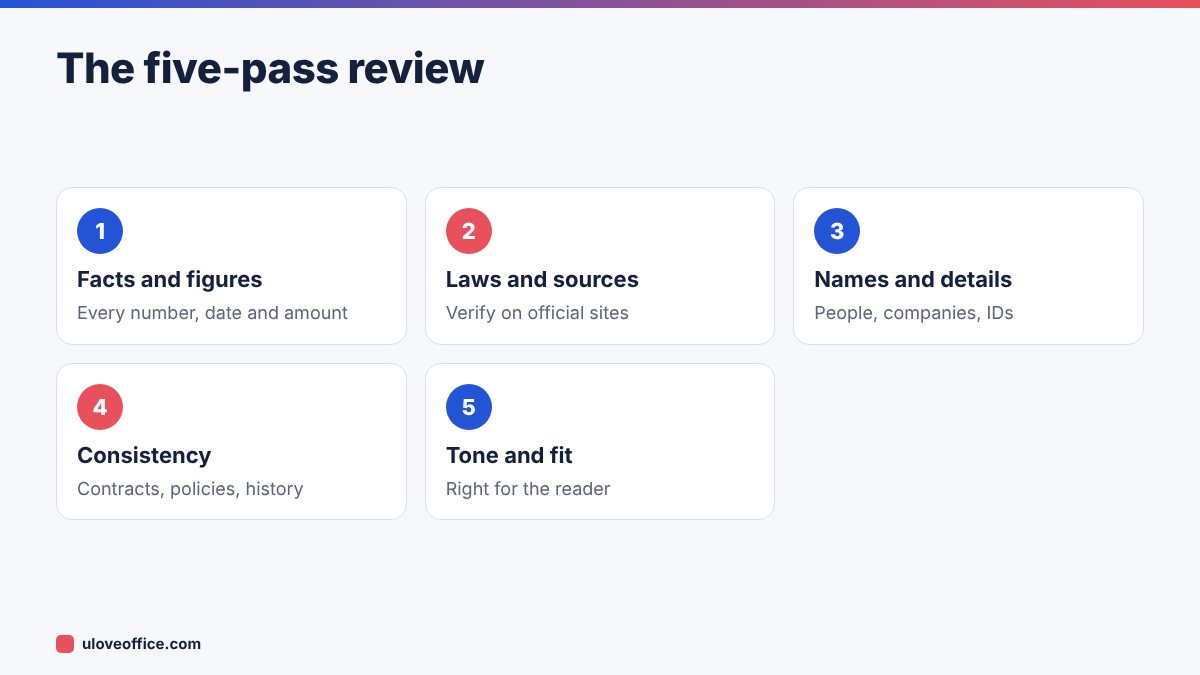
Quick answer: Review every AI-generated business document in five passes: facts and figures (check each number and date against the source), legal and regulatory claims (verify laws, rates and deadlines on official sites), names and details (people, companies, TRNs, addresses), consistency (does it match your contracts, policies and earlier documents?) and tone and fit (is it right for this reader, and does it sound like your company?). Use Compare PDFs to see exactly what AI changed when it edited an existing document. You remain responsible for anything you send.
AI tools write fluent, confident text. That is exactly what makes their errors dangerous: a wrong figure or an invented regulation looks just as convincing as a correct one. In business, those errors can cost money, damage client trust or create legal risk. A short, consistent review routine prevents almost all of them.
Why AI makes these mistakes
Understanding the cause helps you know where to look:
- AI predicts plausible text. It does not “know” facts the way a database does. When it lacks information, it may fill gaps with something that sounds right, often called a “hallucination”.
- Training data can be outdated. Tax rates, deadlines, laws and fees change. AI may describe the old rule.
- It blends sources. Rules from Saudi Arabia, the UK or another free zone may appear in a UAE document.
- It follows your prompt too literally or misreads it, for example confusing net and gross amounts.
- It smooths over uncertainty, turning “may” into “will”.
Pass 1: Facts and figures
Check every number in the document against its source:
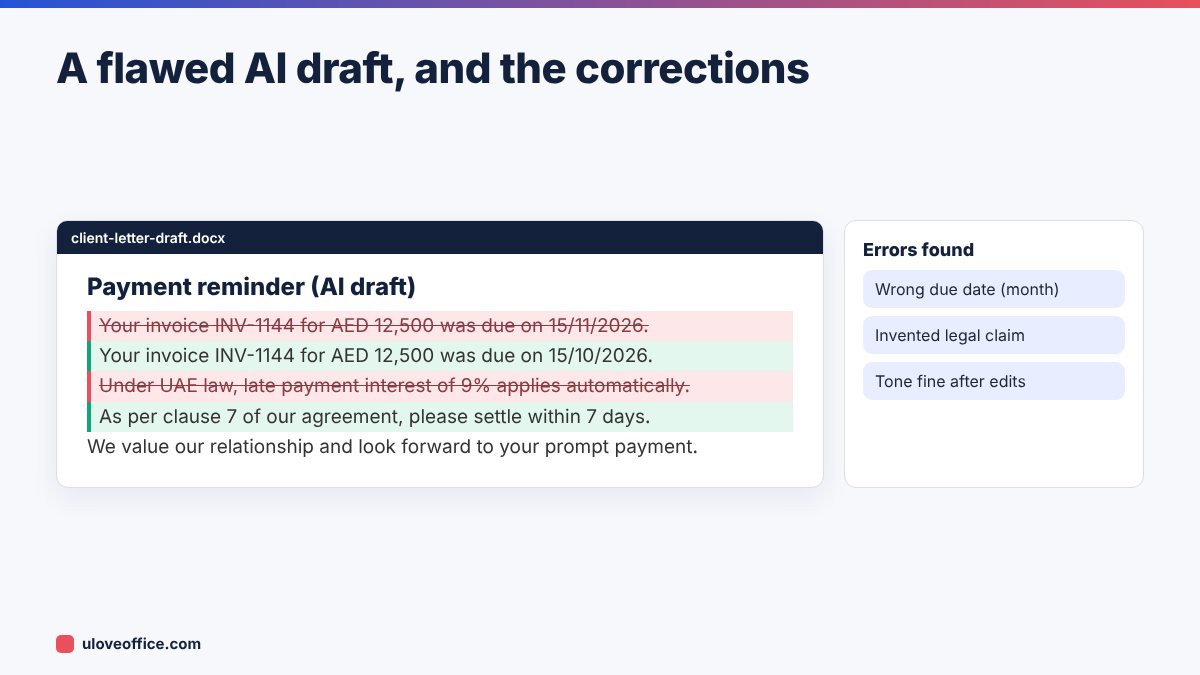
- Amounts and totals: recalculate in Excel or with a calculator. For VAT, use the UAE VAT Calculator.
- Percentages: check the base. “Up 12%” compared with what?
- Dates and deadlines: confirm against the calendar and source documents. Check DD/MM vs MM/DD.
- Quantities and units: AED vs USD, months vs years.
A useful trick is to highlight every number in the document in yellow before you start, then remove the highlight only when each one is checked.
Pass 2: Laws, regulations and sources
This is where AI errors are most risky. For any statement about law, tax, labour rules, fees or official procedures:
- Find the official source: UAE government portals, the Ministry of Human Resources and Emiratisation (MOHRE), the Federal Tax Authority (FTA), the Ministry of Finance, your free zone authority or the relevant emirate’s economic department.
- Check the date of the rule. Has it been updated?
- Check the jurisdiction: mainland federal law, a specific emirate, a free zone such as DIFC or ADGM with its own laws?
- Remove anything you cannot verify, or rewrite it as “please check with…”.
If the AI cites an article number, law name or website, check that it exists and says what the document claims. Invented citations are a known AI failure.
Pass 3: Names and details
- People: spelling of names and titles, especially transliterated Arabic names.
- Companies: legal names exactly as registered, including “LLC”, “FZE” or “FZ-LLC”.
- Identifiers: TRNs (15 digits), trade licence numbers, invoice and PO numbers.
- Addresses and contact details.
- Placeholders: search for “[“, “XX”, “Name” or “TBD” to find unfilled placeholders.
Pass 4: Consistency
AI drafts in isolation. Your document must fit everything else:
- Does it match the contract terms (payment days, notice periods, prices)?
- Does it match company policies and previous letters on the same subject?
- Are defined terms used consistently throughout?
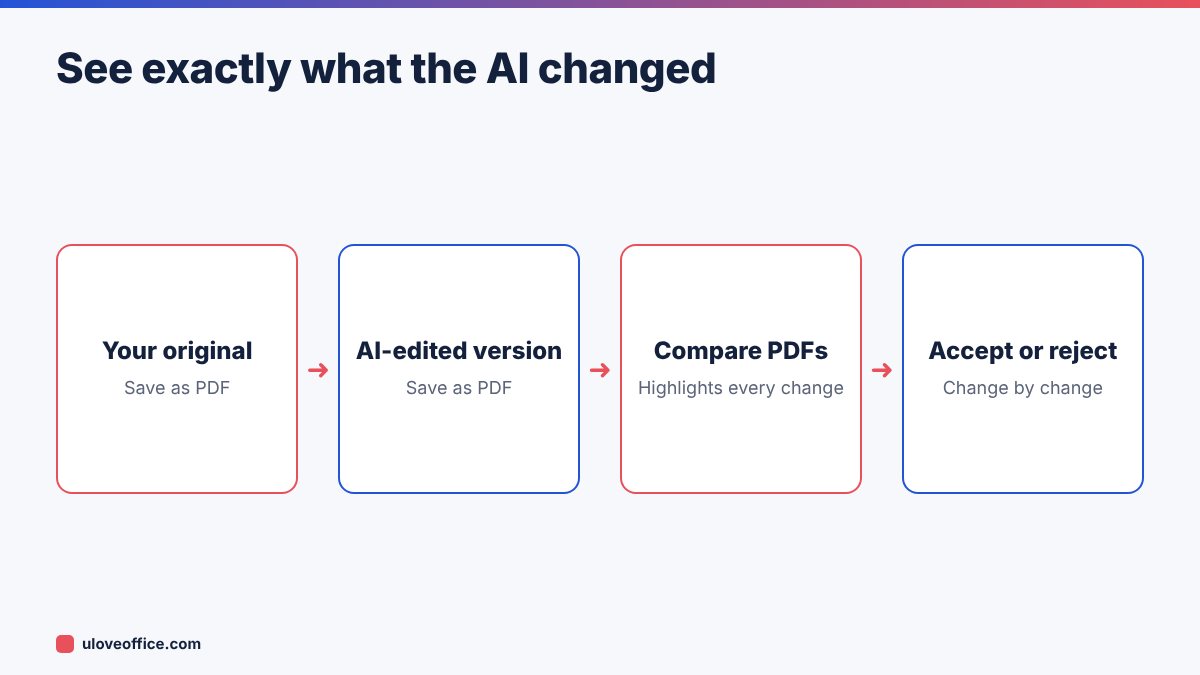
- If the AI edited an existing document, what exactly changed? Convert both versions to PDF and run Compare PDFs. AI editors sometimes change sentences you did not ask them to touch.
Pass 5: Tone and fit
- Reader: is it right for a client, a government body, an employee or a supplier?
- Brand voice: does it sound like your company or like a generic template? Remove clichés such as “in today’s fast-paced world”.
- Length: AI tends to over-explain. Cut what the reader does not need.
- Cultural fit: for UAE readers, check formality, greetings and sensitivity, for example around religious occasions.
- Promises: AI may add commitments (“we guarantee delivery within 24 hours”) that you never offered. Remove them.
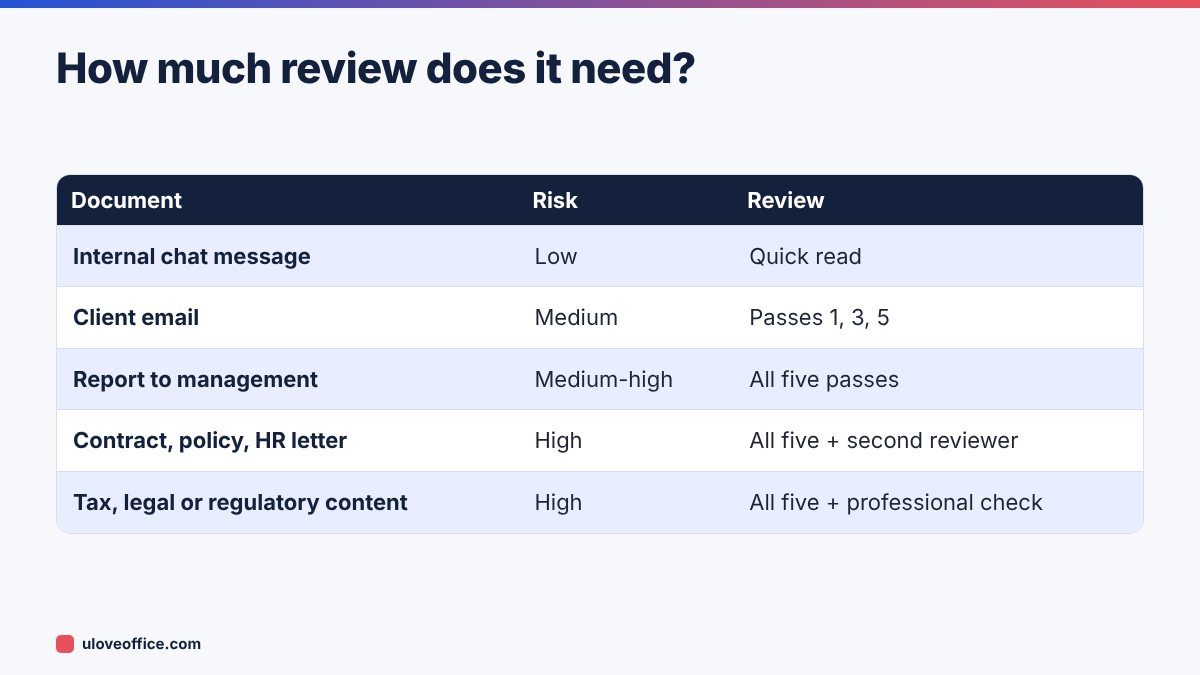
Adjust the depth of review to the risk
Not every document needs the same effort:
Prompting to reduce errors in the first place
Better prompts mean fewer corrections:
- Provide the facts yourself: “Use only these figures: …”
- Ask the AI to mark uncertainty: “If you are not sure about a fact, write [CHECK].”
- Ask for sources: “List the source for each legal statement.” Then verify them.
- Limit the scope: “Do not add legal claims or promises not in my notes.”
- Ask it to review itself: “List any statements in your draft that might be inaccurate or need verification.” This is not a substitute for your review, but it often points to weak spots.
Worked example: an AI-drafted HR policy
An HR officer asked AI to draft a sick leave policy. The five-pass review found:
- Figures: the draft stated an incorrect number of fully paid sick days. Corrected from the Labour Law.
- Laws: it referred to the old 1980 labour law, replaced in 2022. Updated to Federal Decree-Law No. 33 of 2021.
- Details: it used “the Company” and “the Employer” inconsistently. Standardised.
- Consistency: it allowed sick leave notification by WhatsApp, while the attendance policy required email. Aligned.
- Tone: it was written in stiff legal language. Simplified for employees.
The draft saved time, but without the review it would have given employees wrong entitlements.
Building review into your team’s process
- Agree which documents may be AI-drafted and which need a second reviewer.
- Keep a shared list of verified facts (company details, TRN, standard terms, current fees) that people paste into prompts.
- Record errors you find; recurring errors show where prompts or training need improvement.
- Include AI review in your AI use policy; see our guide on whether it is safe to upload company documents to ChatGPT.
Special checks by document type
Client proposals and quotations: check prices, quantities, VAT treatment, validity dates, delivery terms and payment terms against your price list and the client’s request. AI often rounds prices or adds generic terms that do not match your standard conditions.
Financial reports and commentary: reconcile every figure to the source report. Check that comparisons (vs budget, vs last year) use the right base and that percentages are calculated correctly. Watch for the AI describing a decline as growth.
HR letters: check entitlements, dates and amounts against the contract and payroll. Make sure the letter does not promise anything the company has not approved.
Marketing content: check product claims, prices and offers. Avoid unverifiable claims such as “the best in the UAE” and make sure any comparison with competitors is fair and accurate.
Translations: compare names, numbers and key terms with the source, and have a fluent speaker review. Our guide to translating documents between Arabic and English with AI explains how.
Summaries of long documents: check each figure against the page it came from. Our guide to summarising PDFs with AI shows how to ask for page references.
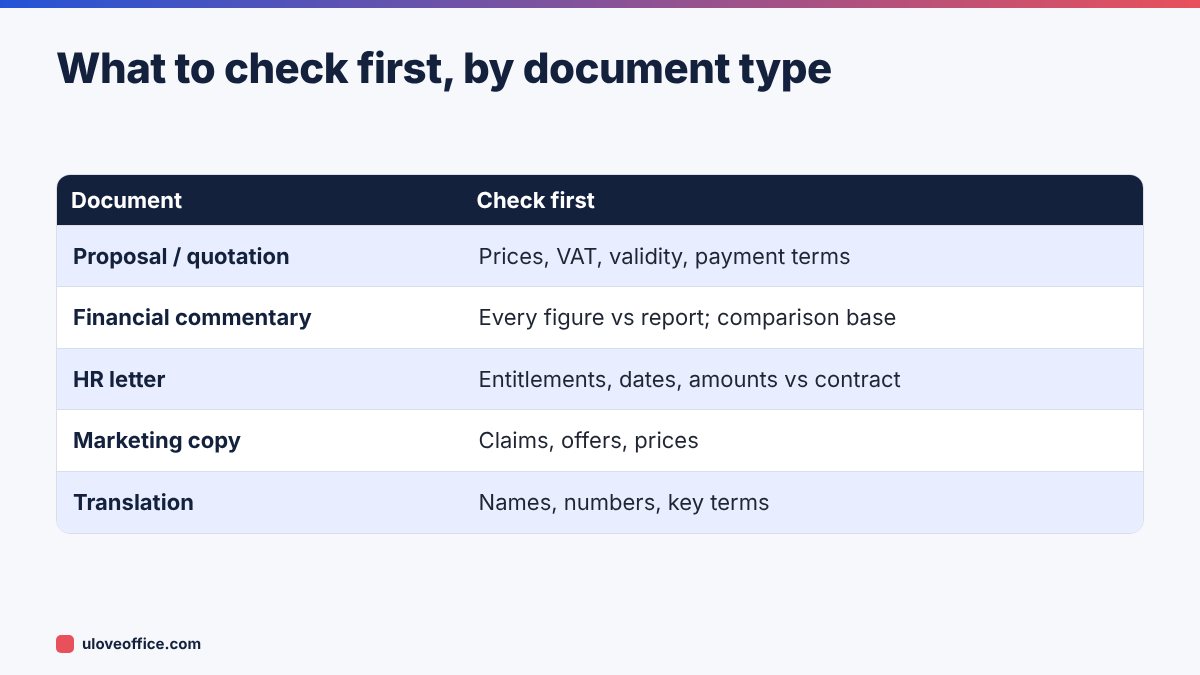
A short, specific checklist per document type is faster than a general read, and it is easy to hand to a colleague who reviews on your behalf.
When you find an error
Fix it in the document, then ask why it happened. If the AI was missing information, add it to your prompt next time. If it invented a rule, add an instruction not to state laws without a source. If the same error repeats across the team, update your shared prompt library or verified facts list. Over time, the review gets faster because the drafts get better.
Key takeaways
- AI errors look as confident as correct text, so review systematically.
- Use five passes: figures, laws, names, consistency, tone.
- Verify every legal or regulatory statement on an official source.
- Compare AI-edited versions with the original to see every change.
- Match review depth to the risk of the document.
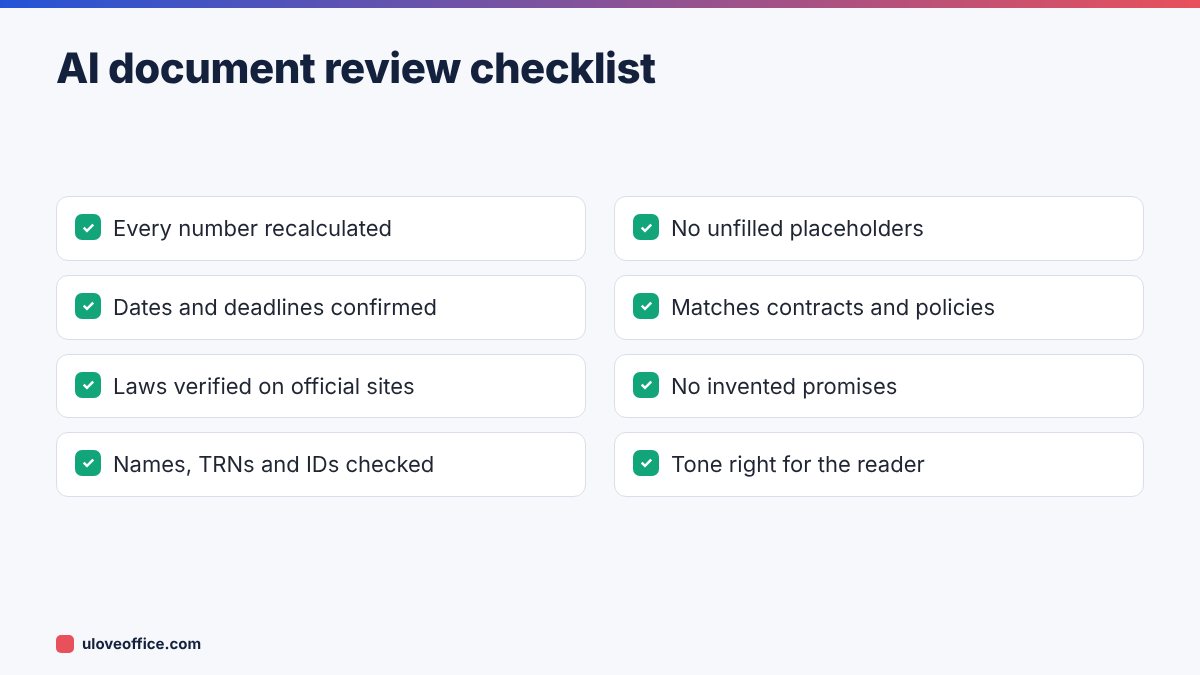
Remember that a reviewer’s time is cheaper than an apology to a client, a correction to a regulator or a dispute with an employee.
📘 Continue reading
Frequently asked questions
Can AI check its own work?
It can point to weak spots, but it can also confirm its own mistakes. Use it as a hint, not a final check.
How long should a review take?
For a one-page letter, a few minutes. For a policy or report, plan as much time for review as the AI saved you in drafting.
Should we tell clients a document was AI-assisted?
Follow your company policy and any client contract terms. What matters most is that the content is accurate.
Are some AI tools more accurate than others?
Yes, and accuracy improves over time, but no tool is reliable enough to skip review for business documents.
Conclusion
AI drafts are fast, but trust comes from review. Check every number, verify every legal claim on an official source, confirm names and identifiers, compare with your existing documents and adjust the tone for the reader. With a five-pass routine, AI saves you time without putting your reputation at risk.
Last checked: 9 November 2026.