
Is it safe to upload company documents to ChatGPT? A data privacy checklist
Quick answer: It can be safe to use ChatGPT and similar AI tools with work documents, but only if you use the right plan, remove sensitive data first and follow a clear company policy. Business and enterprise plans of the major AI tools generally do not use your content to train their models by default, while consumer plans may, unless you change the data settings. Regardless of the plan, do not upload Emirates ID numbers, passport details, IBANs, salaries, medical information, passwords or confidential client data unless your company has approved that use. Redact first with a tool such as Redact PDF.
AI assistants are now part of daily office work in the UAE: summarising reports, drafting emails, analysing spreadsheets and translating documents. The productivity gains are real. So is the risk of pasting something into a chat window that should never have left the company. This guide gives you a practical way to get the benefits without the leaks.
What actually happens to your data
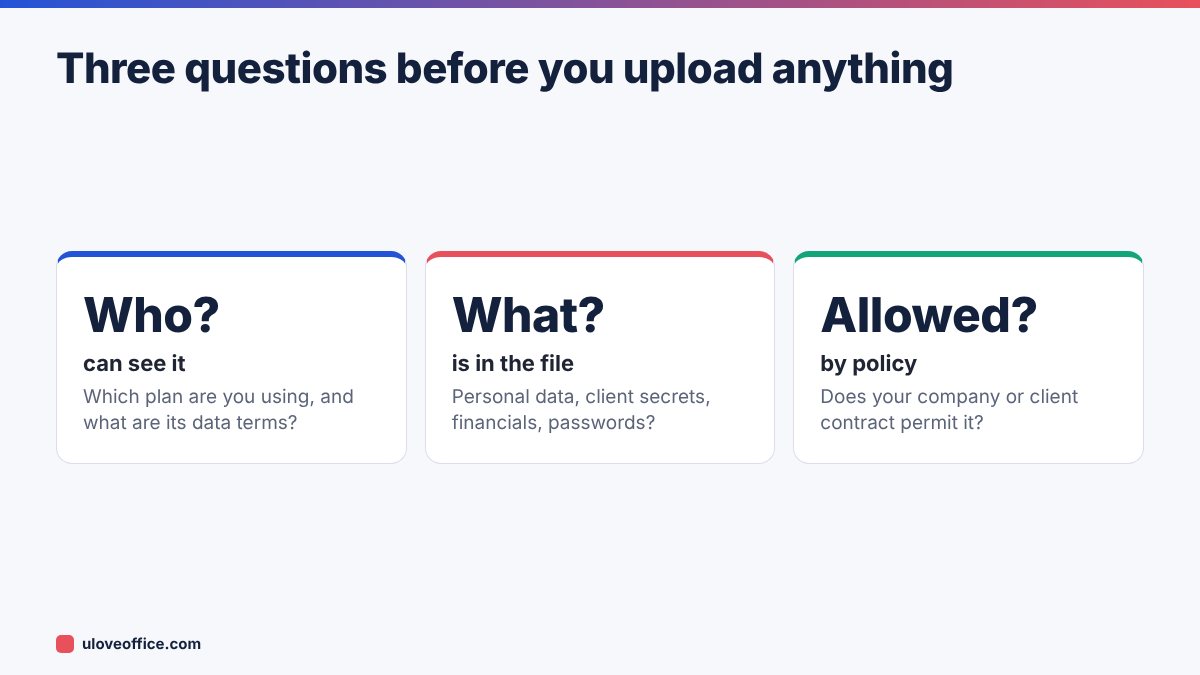
When you type a prompt or upload a file, the content is sent to the AI provider’s servers to generate the answer. What happens next depends on your plan and settings:
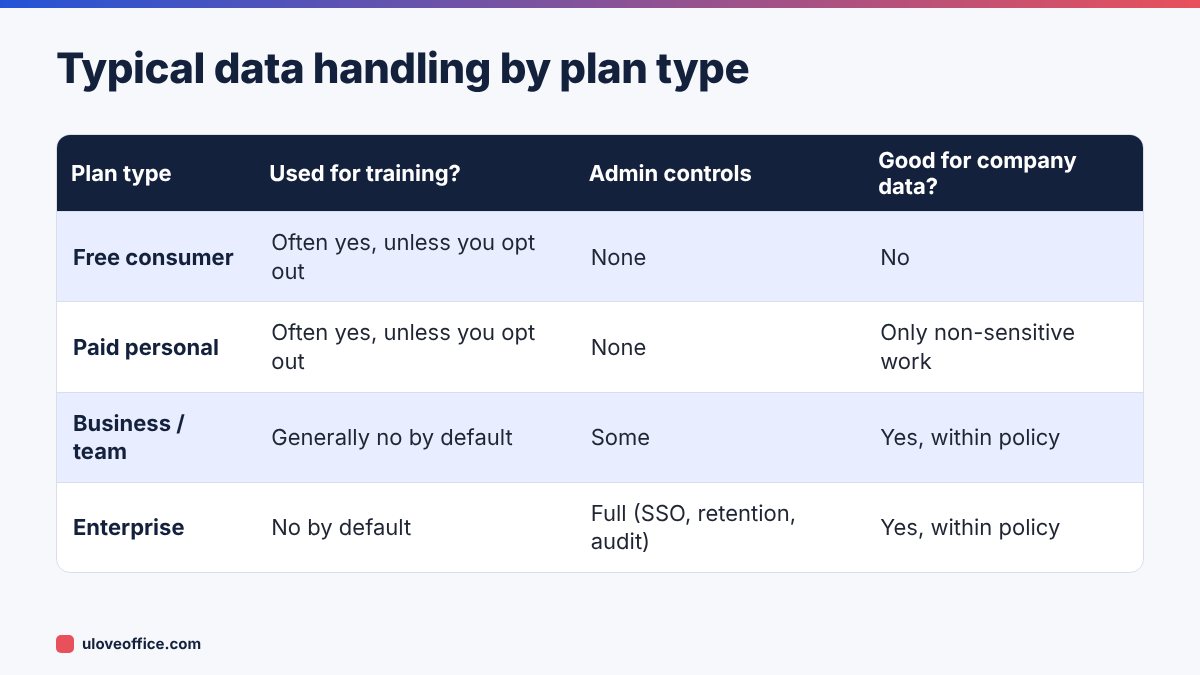
- Training: some consumer plans may use conversations to improve the provider’s models unless you opt out in the settings. Business, team and enterprise plans generally exclude customer content from training by default.
- Retention: providers keep conversations for a period, for example for abuse monitoring, even if they do not train on them. Deleted chats may be kept for a limited time.
- Human review: some providers allow limited human review for safety purposes.
- Sharing features: shared chat links, connected apps and plugins can expose content beyond the original chat.
Terms change, so read the current data and privacy pages of the specific tool and plan your company uses. Do not rely on what a colleague remembers from last year.
Data you should never paste into an AI tool (without approval)
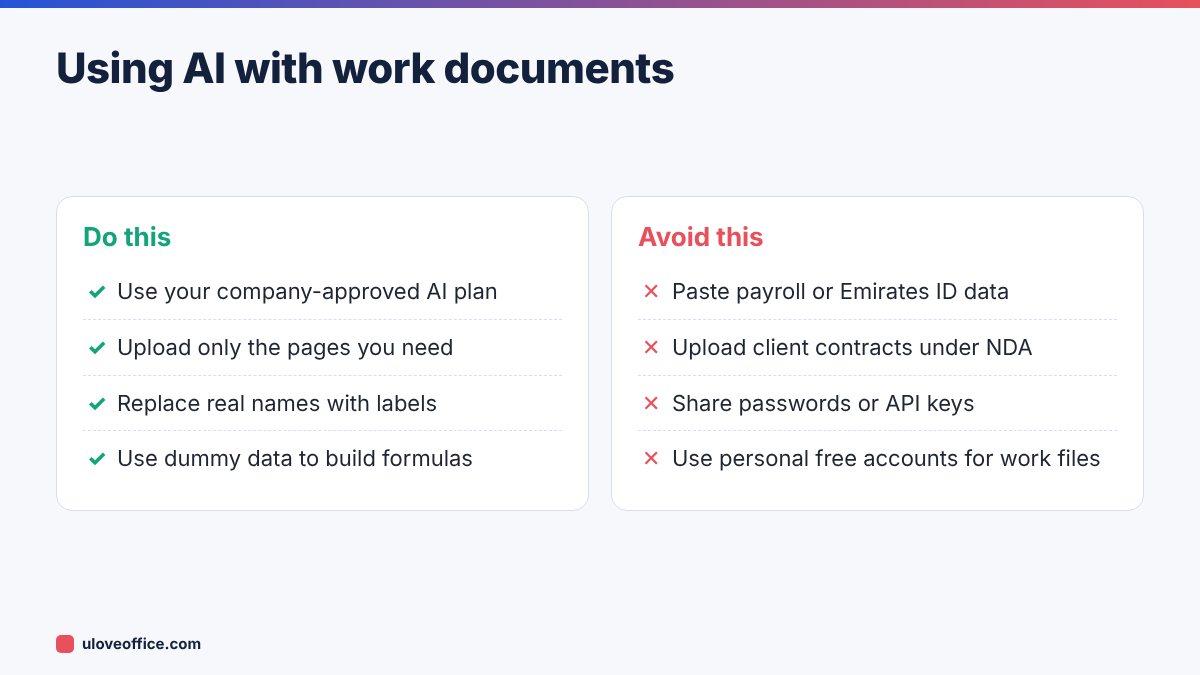
- Identity data: Emirates ID, passport, visa and labour card numbers.
- Financial account data: IBANs, card numbers, bank statements.
- Salary and HR data: payroll files, performance reviews, disciplinary records, medical certificates.
- Credentials: passwords, API keys, system access details.
- Client confidential information: contracts, pricing, tenders, legal cases, anything covered by an NDA.
- Unreleased company information: financial results, acquisitions, restructuring plans.
- Customer lists with names, phone numbers and emails.
Under the UAE Personal Data Protection Law (Federal Decree-Law No. 45 of 2021), and free zone laws in DIFC and ADGM, your company is responsible for how it processes personal data, including sending it to third-party services. Client contracts may also restrict where their data can go.
How to prepare a document before uploading
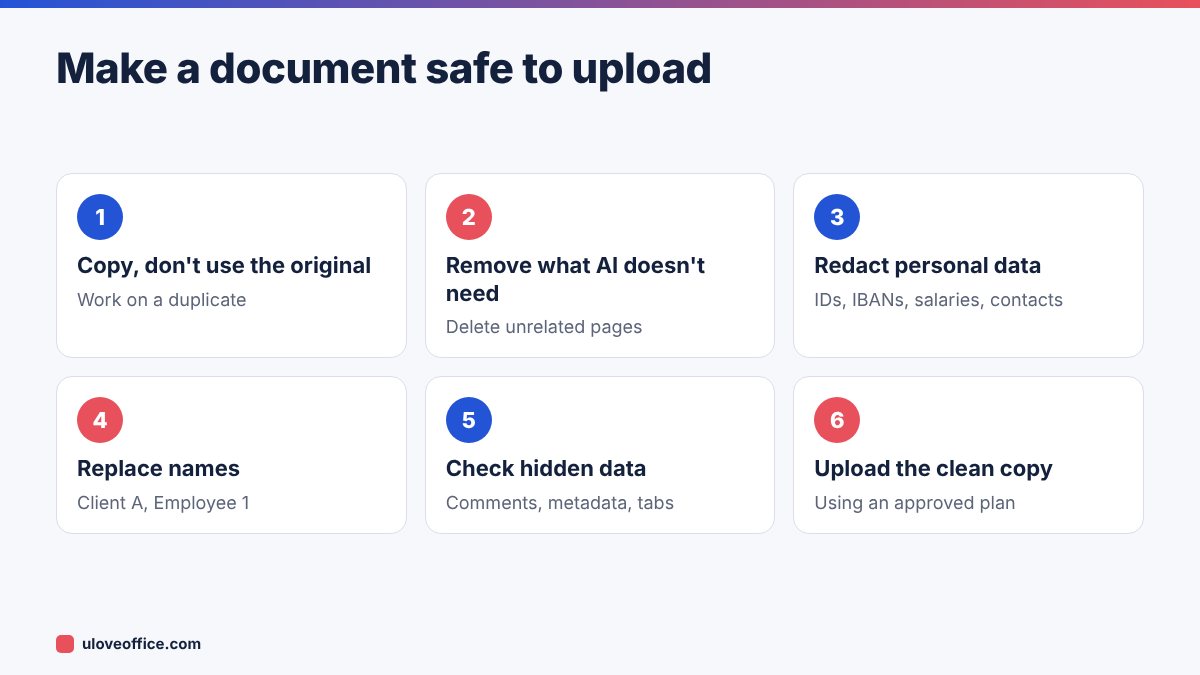
Remove unrelated content. If you want AI to summarise chapter 3 of a report, upload chapter 3 only. Use Split PDF or Organize PDF to extract the pages you need.
Redact personal data properly. Black boxes drawn on top of text do not remove it, and AI tools read the hidden text. Use Redact PDF, which deletes the content. Our guide on how to redact a PDF permanently explains how to check the result.
Pseudonymise names. Replace “Gulf Line Logistics” with “Client A” and “Ahmed Hassan” with “Employee 1”. The AI can still do the analysis.
Check spreadsheets for hidden data. Excel files can contain hidden sheets, hidden columns, comments and old pivot cache data. Delete what you do not need, or copy only the relevant range into a new workbook.
Strip metadata. File properties can include author names and file paths.
Safer ways to get the same result
Often you do not need to upload the real document at all:
- Describe the structure, not the data. “I have an Excel table with columns Employee, Department, Basic, Allowances, Start Date. Write a formula to calculate years of service.” The AI never sees real salaries.
- Use dummy data. Create five fake rows that look like your data, get the formula or macro working, then apply it to the real file yourself.
- Ask for a template. “Write a template warning letter for late attendance under UAE Labour Law” instead of pasting a real employee’s file.
- Use the AI built into your company’s licensed tools. If your company has Microsoft 365 Copilot or Gemini for Workspace under a business agreement, data stays under that agreement and the company’s existing access controls.
Check AI outputs before using them
Privacy is one risk; accuracy is another. AI tools can invent figures, misread tables and cite laws that do not exist. Before you send or rely on AI output:
- Check every number against the source.
- Check legal and regulatory statements against official sources such as MOHRE, the FTA or the Ministry of Finance.
- Read the whole output; do not just skim the summary.
Our guide on checking AI-generated business documents for errors has a full review checklist.
A one-page AI policy for small businesses
Many UAE SMEs have no written AI policy, so staff make their own rules. A one-page policy is enough to start. Here is a template you can adapt:
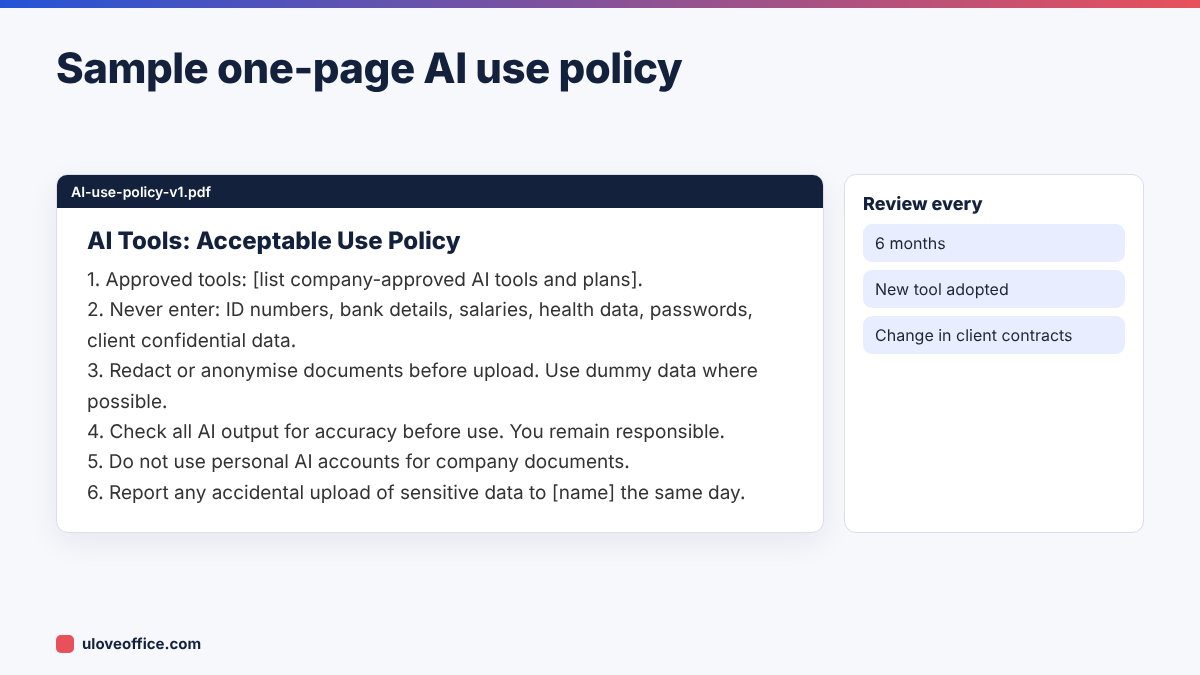
Share the policy with every employee, include it in onboarding, and review it at least twice a year, because AI tools and their terms change quickly.
What to do if someone uploads sensitive data by mistake
Mistakes will happen. Respond quickly:
- Delete the conversation in the AI tool and, if available, request deletion of the data under the provider’s privacy process.
- Revoke any shared links created from that chat.
- Change exposed credentials immediately if passwords or keys were included.
- Record what happened: what data, which tool, when, who.
- Assess notification duties. Depending on the data and applicable law, you may need to inform affected people or a regulator. Ask your legal or data protection contact.
- Learn from it: update training or the policy to prevent a repeat.

Real-world examples
HR officer drafting a warning letter. Unsafe: pasting the employee’s full file into a free AI account. Safe: asking for a warning letter template for repeated lateness under UAE Labour Law, then adding the employee’s details in Word.
Accountant analysing supplier spend. Unsafe: uploading the full ledger with supplier names and bank details. Safe: exporting only amount, category and month columns with supplier names replaced by codes.
Sales manager summarising a tender. Unsafe: uploading a client’s confidential tender pack to a personal account. Safe: using the company’s approved AI tool, after checking the tender’s confidentiality terms allow it.
Questions to ask before your company buys an AI plan
If your business is choosing a company-wide AI tool, ask the provider (or read their documentation) for clear answers to these questions:
- Is our content used to train models? Can we confirm this in the contract?
- How long are prompts, files and outputs retained, and can we set a shorter period?
- Where is the data processed and stored?
- Can we manage users centrally, remove leavers and enforce single sign-on?
- Are there audit logs that show who used the tool and when?
- Which certifications does the service hold, such as ISO 27001 or SOC 2?
- How are connected apps, plugins and integrations controlled?
Keep the answers on file. They help you complete supplier due diligence, answer client questionnaires and meet your own data protection obligations.
Training your team in 20 minutes
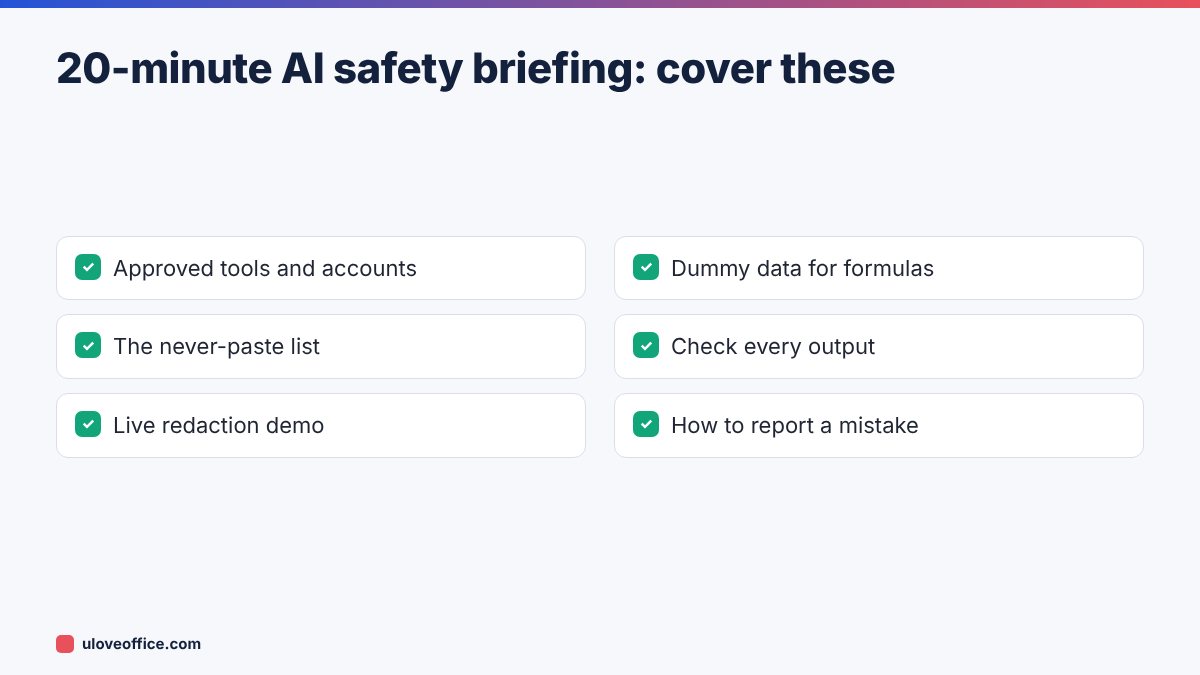
You do not need a long course. A short session covering four points changes behaviour:
- Which tools are approved, and which accounts to use.
- The never-paste list: IDs, bank details, salaries, health data, passwords and client confidential information.
- How to redact or anonymise a document in two minutes, with a live demo.
- What to do after a mistake, and who to tell.
Repeat the session for new joiners and whenever the policy changes. A short quiz at the end helps it stick.
📘 Continue reading
Frequently asked questions
Is ChatGPT Enterprise safe for confidential data?
Enterprise plans offer stronger protections, such as no training on your data by default and admin controls. Your company should still decide which data types are allowed.
Does turning off chat history make it safe?
It reduces some uses of your data, but content may still be retained for a period. It does not replace redaction.
Are Copilot and Gemini safer than ChatGPT?
It depends on the plan and contract, not the brand. Business versions under a company agreement usually offer better protections than free consumer versions.
Can I use AI with Arabic documents?
Yes, the same rules apply. See our guide to translating business documents between Arabic and English with AI.
Conclusion
AI tools are safe enough for most office work when you use an approved business plan, remove personal and confidential data before uploading, use dummy data where possible and check every output. Put those rules on one page, share them with your team and review them regularly. The few minutes spent redacting a document are far cheaper than explaining a data leak to a client.
Last checked: 9 November 2026. This article is general information, not legal advice.