
How to redact sensitive information in a PDF permanently
Quick answer: To redact a PDF permanently, use a real redaction tool such as ULoveOffice Redact PDF. Mark the text or area you want to remove, apply the redaction, and save a new file. A real redaction deletes the underlying text and images, then places a black box in their place. Drawing a black rectangle, highlighting in black or changing the text colour only hides the content, and anyone can copy it out. Always check the result by searching for the redacted words and trying to copy the blacked-out area.
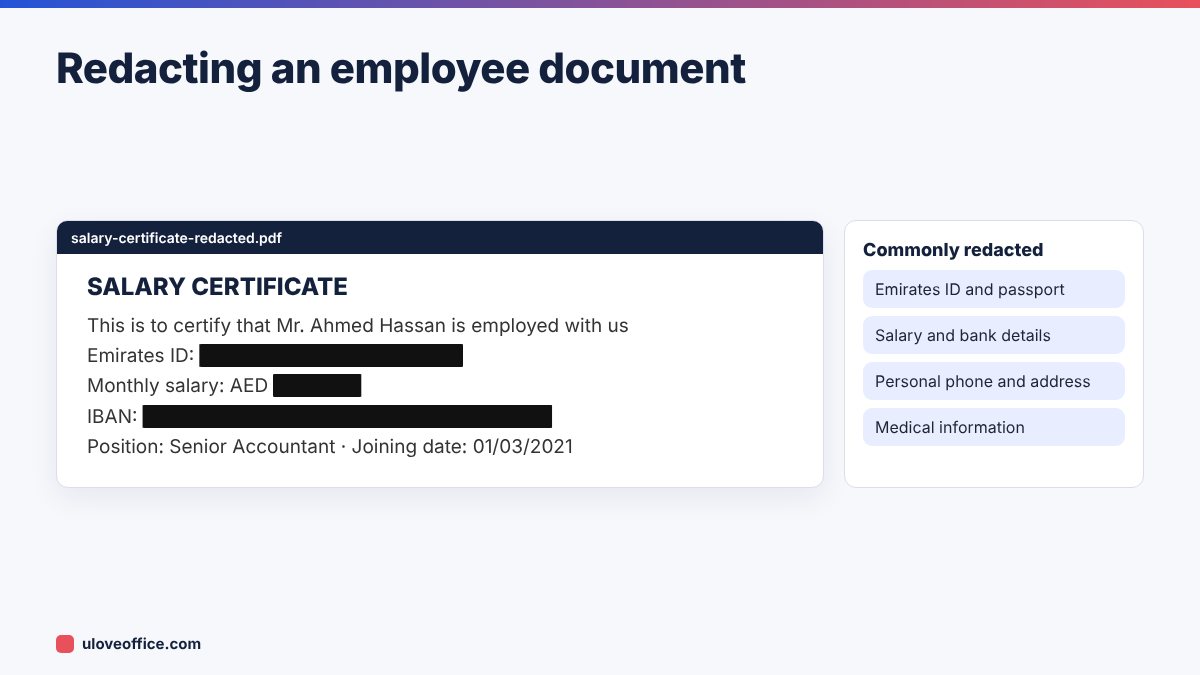
Every year, companies and even government bodies publish documents with “redacted” sections that can be read by simply selecting the text. In the UAE, where documents often contain Emirates ID numbers, passport details, IBANs and salaries, a bad redaction can expose employees and breach the UAE Personal Data Protection Law. This guide shows how to do it properly.
Why black boxes and highlights fail
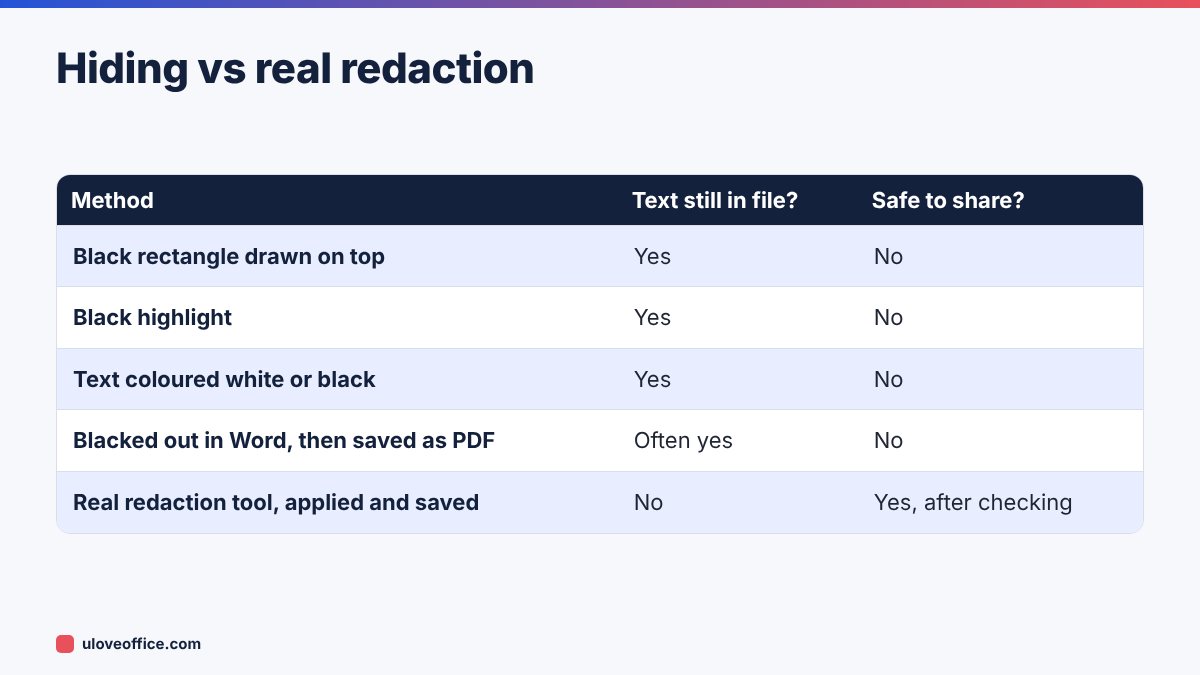
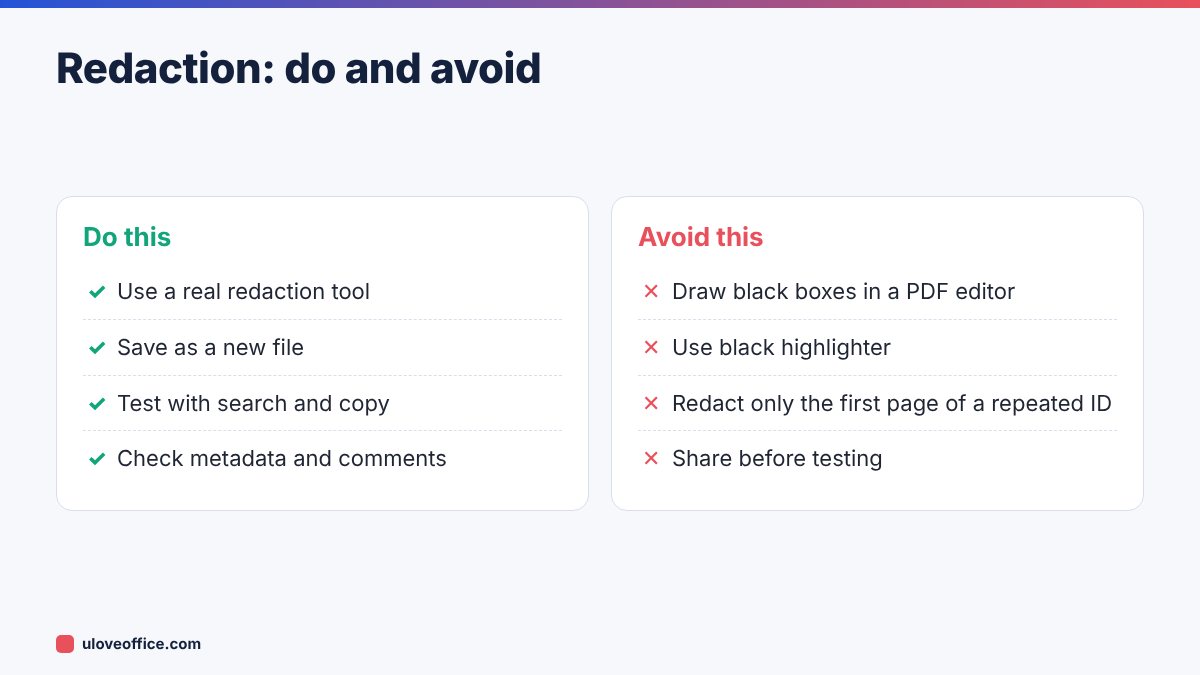
A PDF is built in layers. Text, images and drawn shapes sit on top of each other. When you draw a black rectangle in a PDF editor or highlight text in black, you add a new shape on top. The original text is still in the file underneath. Anyone can:
- Select the area and copy the text into Notepad.
- Use the search function to find the “hidden” words.
- Open the file in another editor and move or delete the black box.
- Extract all text from the file with a converter, such as PDF to Word.
The same applies if you black out text in Word and then save as PDF without removing the words, or if you scan a document after covering text with a marker that does not fully block it.
Real redaction works differently. It deletes the content inside the marked area from the file, including text, vector shapes and image pixels, then draws a solid box where it used to be.
What you should redact
Before you start, list what must go. In a typical UAE office, the usual candidates are:
- Identity numbers: Emirates ID, passport, visa file numbers, labour card numbers.
- Financial details: IBANs, account numbers, card numbers, salary figures.
- Contact details: personal phone numbers, home addresses, personal email addresses.
- Health information: sick-leave reasons, medical reports.
- Commercial secrets: pricing, margins, supplier names, contract values in documents shared with third parties.
- Signatures, when sharing a sample or template based on a real document.
Also think about indirect identifiers. A job title plus department plus joining date can identify a person in a small company even if the name is removed.
How to redact a PDF with ULoveOffice: step by step
Step 1: Make a copy of the original
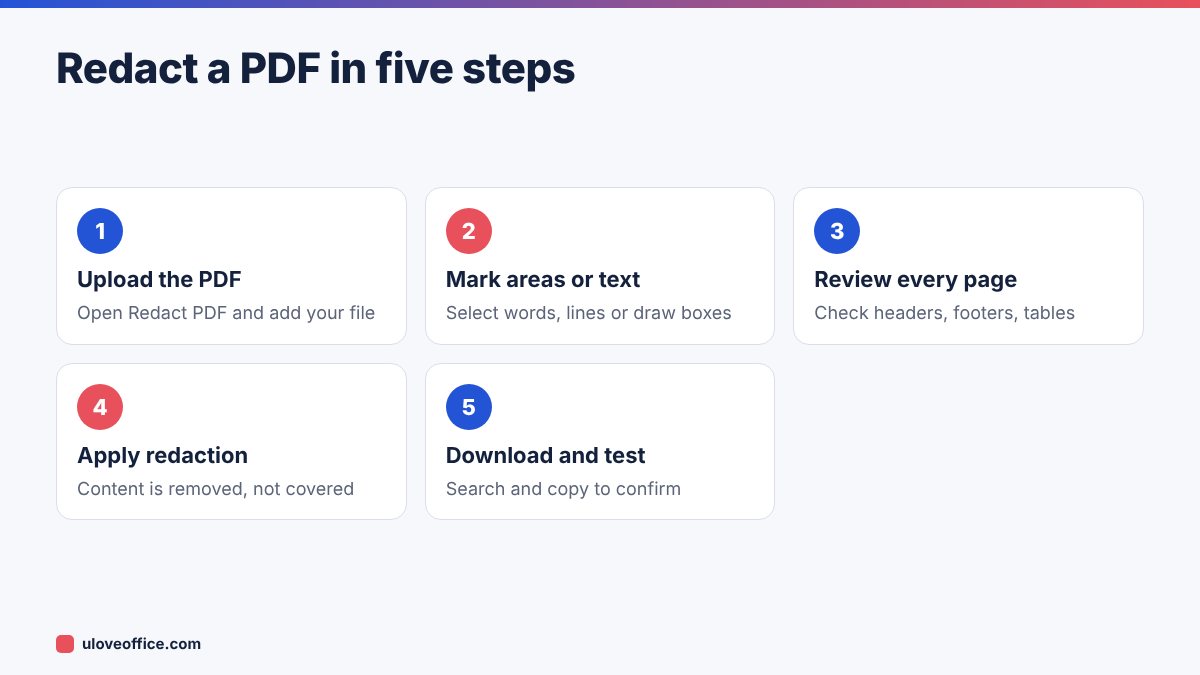
Keep the unredacted original in a secure folder. You will save the redacted version as a new file. Name it clearly, for example contract-ABC-redacted-2026-11.pdf, so nobody sends the wrong one.
Step 2: Upload the file to Redact PDF
Open Redact PDF and upload your document. If the PDF is password protected, remove the protection first with Unlock PDF (only if you are authorised to do so).
Step 3: Mark what to remove
Select the words or draw boxes over the areas you want removed. Work page by page. Pay attention to places people forget:
- Headers and footers that repeat on every page.
- Tables, where the same ID may appear in several rows.
- Stamps and signatures.
- Images of documents inside the PDF, such as a scanned passport copy.
Step 4: Apply the redaction
Apply the redaction so the marked content is removed. Until you apply it, the marks are only proposals.
Step 5: Download and check
Download the new file and test it (see the next section). Only then share it.
How to check that redaction worked
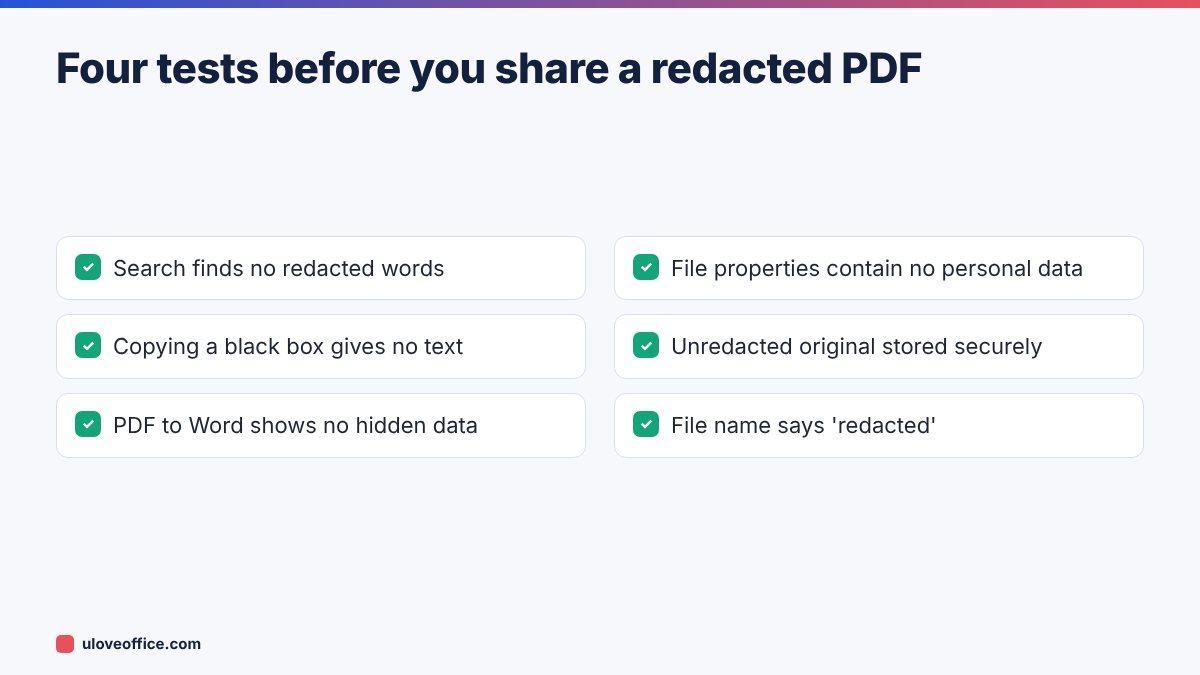
Never skip this. Open the redacted file and run four quick tests:
- Search test: press Ctrl+F (Cmd+F on Mac) and search for a word or number you redacted. It should not be found.
- Copy test: drag your cursor across a black box, copy and paste into Notepad. You should get nothing or spaces.
- Conversion test: convert the file with PDF to Word and check the Word document for the redacted information.
- Properties test: open the document properties and check the title, author, subject and keywords fields for personal data.
Scanned PDFs need special care
If your document is a scan, the content is an image. Some redaction tools only remove text and may miss information in the image layer. Other scans have an invisible OCR text layer on top of the image, so the words are searchable even though they look like a picture.
For scans:
- Draw redaction boxes over the image areas you want removed, not just selected text.
- After redacting, run the search test. If an OCR layer existed, make sure the words are gone.
- If you need the result to be searchable, redact first and then run OCR PDF on the redacted file, not the other way round.
Remove hidden data as well
PDFs can contain information you cannot see on the page:
- Metadata: author name, company, original file path, software used.
- Comments and annotations, including resolved ones.
- Attachments embedded in the PDF.
- Form field data, which may hold values not visible in the printed layout.
- Bookmarks that use a person’s name.
A thorough redaction includes these. If your tool does not clean them, a practical workaround is to print the redacted file to a new PDF, which drops most hidden content, then run your four tests again.
Common redaction mistakes
Redacting the visible page but not the repeated data. An Emirates ID in a footer appears on every page. Use search to find every instance.
Leaving totals that reveal the redacted number. If you redact one salary in a table but leave the department total and the other salaries, the missing figure is easy to work out.
Redacting a file that will be edited later. If you need to send an editable version, redact in the source (Word or Excel) by deleting the data, then create the PDF.
Not keeping a record. For legal or HR documents, keep a short note of what was redacted, when, by whom and why.
Redaction and UAE data protection
The UAE Personal Data Protection Law (Federal Decree-Law No. 45 of 2021) requires organisations to protect personal data and share only what is necessary. Free zones such as DIFC and ADGM have their own data protection laws. Redaction is one of the simplest ways to apply the principle of data minimisation when you send documents to auditors, clients, landlords or government portals. When in doubt, remove it.
Building a redaction routine for your office
If your team redacts documents every week, a written routine prevents mistakes when people are busy:
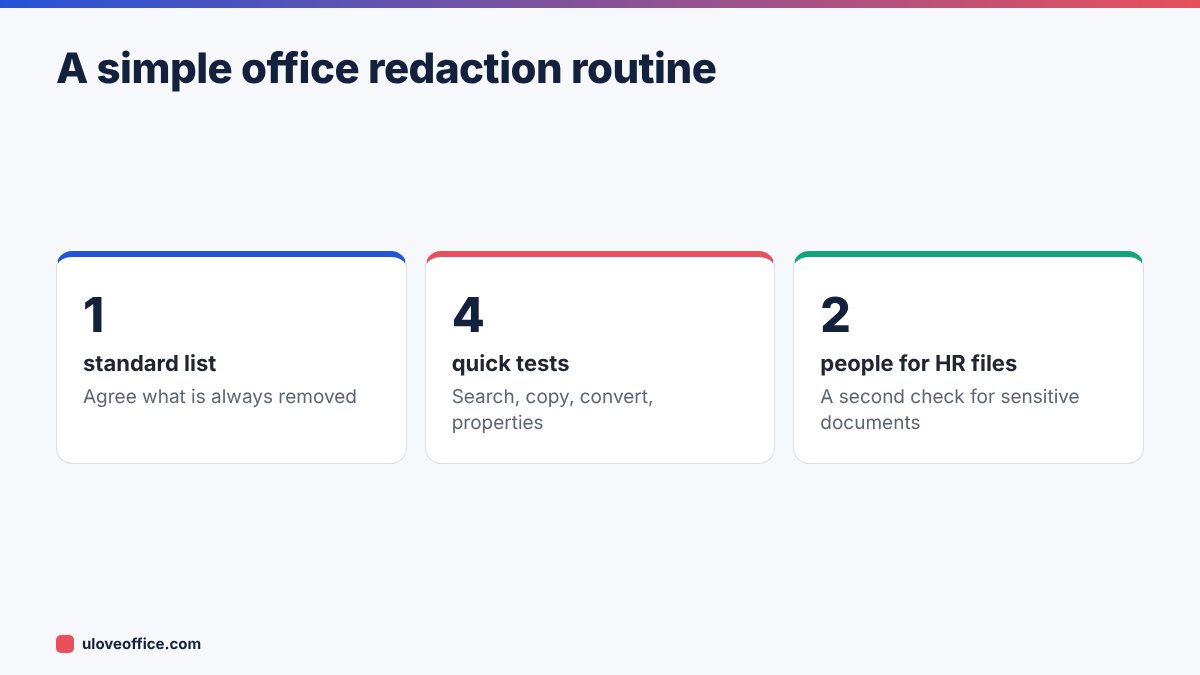
- Agree what is always removed. For example: Emirates ID numbers, passport numbers, IBANs, salaries and personal phone numbers, unless the recipient has a clear need for them.
- Use one tool. Everyone should use the same redaction tool so results are predictable.
- Name files consistently. Add “-redacted” and the date to every redacted file name.
- Use the four tests every time. Search, copy, convert and properties.
- Second check for sensitive files. For HR, legal and medical documents, a second person repeats the search test before sending.
- Store originals securely. Keep unredacted originals in a restricted folder, not in shared email threads.
Real-world examples from UAE offices
Sending payslips to a mortgage broker. The broker needs net salary and employer name, not the IBAN or the colleague names that appear in an approval stamp. Redact what they do not need.
Sharing a tenancy contract with a new flatmate. Remove the landlord’s Emirates ID and your own bank details while keeping rent, dates and the property address.
Uploading supplier invoices to a tender portal. Show that you have delivered similar work, but redact the client’s pricing if your contract has a confidentiality clause.
Responding to an auditor’s sample request. Provide the documents requested, but remove unrelated employees’ personal data that appears on the same pages.
In each case, ask one question: does the recipient need this specific piece of information to do their job? If not, remove it.
📘 Continue reading
Frequently asked questions
Can redacted text be recovered?
Not if real redaction was applied and saved. If you only covered the text, yes, it can be recovered easily.
Can I undo a redaction?
Not in the saved redacted file. That is the point. Keep the original separately.
Is it safe to use an online redaction tool?
Check the tool’s privacy terms. For highly sensitive files, use the tool on a trusted device and delete uploaded files promptly.
Should I use white boxes instead of black?
White boxes can hide that anything was removed, which can mislead readers. Black is standard and transparent about the redaction.
Can I redact a PDF on my phone?
Yes, an online tool works in a mobile browser, but checking every page is easier on a larger screen.
Conclusion
Redaction is only real if the information is removed from the file. Use a proper redaction tool, work through every page including headers and footers, save a new file and test it with search, copy and conversion before you share it. It takes a few extra minutes and protects your employees, clients and business from an avoidable data leak.
Last checked: 9 November 2026.