
OCR Arabic PDF Online Free | Extract Arabic Text
OCR Arabic PDF: why most tools fail and what works
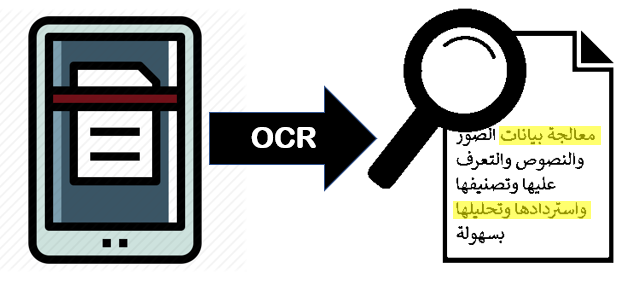
If you need to perform OCR Arabic PDF, use an OCR tool that supports Arabic language recognition and right-to-left (RTL) text. Many standard OCR tools work well with English but struggle with Arabic because of connected letters, contextual character shapes, diacritics, and mixed Arabic-English documents. A good OCR Arabic PDF online tool accurately extracts text from scanned PDFs, preserves the reading order, and lets you download or copy editable text. The process takes only a few minutes and works directly in your browser without installing software.
What is OCR Arabic PDF?
OCR (Optical Character Recognition) converts text in scanned PDF documents or images into editable, searchable text.
When the document is written in Arabic, the OCR engine must correctly recognize:
- Arabic letters
- Connected characters
- Right-to-left writing
- Numbers
- Mixed Arabic and English text
- Tables
- Printed forms
This process is known as OCR Arabic PDF or Arabic PDF text recognition.
Instead of manually typing information from a scanned document, OCR automatically extracts the text for editing, searching, copying, or translating.
Why do many OCR tools fail with Arabic?
Arabic presents challenges that are different from Latin-based languages.
Connected letters
Arabic characters change shape depending on where they appear in a word. OCR software must recognize these contextual forms correctly.
Right-to-left text
Arabic is read from right to left. OCR engines designed mainly for left-to-right languages may output words in the wrong order if they do not fully support RTL scripts.
Diacritics
Some Arabic documents include diacritical marks that affect pronunciation and meaning. Poor OCR may confuse or omit these marks.
Low-quality scans
Blurry, skewed, or low-resolution scans reduce OCR accuracy in any language, but Arabic text is particularly sensitive to image quality.
Mixed-language documents
Invoices, passports, tenancy contracts, certificates, and business forms in the UAE often contain both Arabic and English. A capable OCR engine should recognize both languages within the same document.
What works for Arabic OCR?
The best results usually come from tools that:
- Support Arabic language recognition
- Preserve right-to-left text direction
- Handle mixed Arabic and English documents
- Process high-resolution scans
- Keep page formatting where possible
- Produce searchable PDFs
- Export editable text
Using a browser-based OCR Arabic PDF online tool also eliminates the need to install desktop software.
How to perform OCR on an Arabic PDF
Follow these steps to convert a scanned Arabic PDF into editable text.
Step 1: Open the OCR Arabic PDF tool
Visit the OCR Arabic PDF tool on uLoveOffice.com.
Step 2: Upload your scanned PDF
Click Choose File or drag and drop the Arabic PDF.
Supported documents typically include:
- Contracts
- Invoices
- Salary certificates
- Emirates ID copies
- Passports
- Utility bills
- Government forms
- Business documents
Step 3: Select Arabic as the OCR language
Choose Arabic or Arabic + English if your document contains both languages.
Selecting the correct language improves recognition accuracy.
Step 4: Start OCR
Click Recognize Text.
The OCR engine scans every page and converts images into machine-readable text.
Step 5: Review the extracted text
Check:
- Arabic words
- Numbers
- Dates
- Names
- Tables
- Company names
Minor corrections may occasionally be required, particularly for poor-quality scans.
Step 6: Download the result
Depending on the tool, you can download:
- Searchable PDF
- Editable text
- Microsoft Word document
- Plain text file
Tips for better OCR accuracy
The quality of the original scan has a major impact on OCR results.
For better recognition:
- Scan documents at 300 DPI or higher.
- Keep pages flat.
- Avoid shadows.
- Use high-contrast scans.
- Straighten tilted pages.
- Remove unnecessary borders.
- Upload the original PDF whenever possible instead of taking phone photos.
These simple improvements often increase OCR accuracy significantly.
Worked example
A property management company receives a scanned tenancy contract written in both Arabic and English.
The contract includes:
- Annual Rent: AED 85,000
- Security Deposit: AED 5,000
- Municipality Fee: AED 2,125
The document is a scanned PDF, so the text cannot be copied or searched.
Using the OCR Arabic PDF tool:
- The company uploads the scanned contract.
- Arabic and English recognition is selected.
- OCR processes the document.
- The resulting PDF becomes searchable.
- Staff can now copy the Arabic clauses, search for tenant names, and extract the AED amounts without manually retyping the contract.
This saves time and reduces typing errors.
Common uses for OCR Arabic PDF
Arabic OCR is widely used for:
- UAE invoices
- Salary certificates
- Employment contracts
- Tenancy agreements
- Bank statements
- Passports
- Emirates ID copies
- Utility bills
- Government forms
- Legal documents
- Academic certificates
- Business records
Making these documents searchable improves document management and productivity.
Can OCR preserve formatting?
Most OCR tools attempt to preserve:
- Paragraphs
- Tables
- Headings
- Line breaks
- Basic document structure
However, documents with complex layouts, handwritten notes, stamps, or decorative fonts may require some manual formatting after conversion.
Is OCR Arabic PDF secure?
When using an online OCR tool, choose one that:
- Uses secure file uploads
- Processes documents over encrypted connections
- Deletes uploaded files after processing
- Does not require unnecessary account registration
This is especially important when working with confidential business or personal documents.
Frequently asked questions
What is OCR Arabic PDF?
OCR Arabic PDF is the process of converting scanned Arabic PDF documents into editable and searchable text using Optical Character Recognition technology.
Can OCR recognize both Arabic and English?
Yes. Many OCR tools support multilingual recognition, allowing Arabic and English text to be extracted from the same document.
Why does Arabic OCR sometimes make mistakes?
Recognition accuracy depends on scan quality, document clarity, font style, resolution, and whether the OCR engine fully supports Arabic and right-to-left text.
Can I convert Arabic PDF to Word?
Yes. Many OCR tools allow you to export recognized Arabic text as Microsoft Word, searchable PDF, or plain text.
Is OCR Arabic PDF free?
Many online OCR tools offer free document conversion, while some apply limits on file size or the number of conversions. Tools with free, unlimited usage are especially useful for users who process documents regularly.
Conclusion
If you need to perform OCR Arabic PDF, choosing a tool with proper Arabic language support makes a significant difference. It should accurately recognize right-to-left text, handle mixed Arabic and English documents, and produce searchable, editable results without complicated software. Whether you’re working with invoices, tenancy agreements, salary certificates, government forms, or business documents, an online OCR solution can save time and improve accuracy. Visit uLoveOffice.com to use the free OCR Arabic PDF tool and convert scanned Arabic documents into editable text in just a few clicks.