
How to build a job application tracker in Excel
Quick answer: Create an Excel table with one row per application and columns for company, role, location, source, date applied, CV version, contact, status, next action, follow-up date and notes. Add a drop-down for status (Saved, Applied, Screening, Interview, Offer, Rejected, Withdrawn), calculate a follow-up date with =DateApplied+7, and use conditional formatting to highlight follow-ups due today. A small summary with COUNTIF shows how many applications are at each stage and which sources lead to interviews.
A job search in the UAE often means dozens of applications across LinkedIn, company websites, recruitment agencies and referrals. Without a system, you forget where you applied, which CV you sent and when to follow up. A simple tracker keeps you organised and shows you what is actually working.
Why track applications at all?
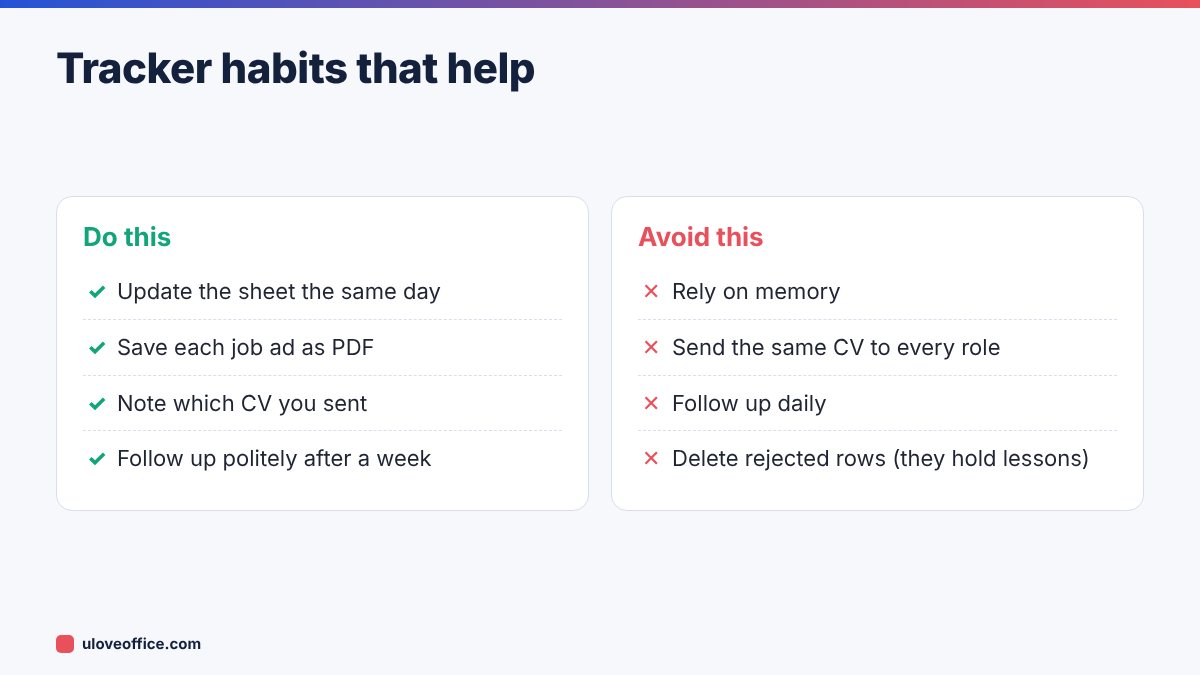
- Follow up on time. A polite follow-up a week after applying can move your application up the pile.
- Send the right CV. If you tailor CVs by role, you need to know which version each company has.
- Prepare for calls. When a recruiter calls unexpectedly, you can find the job description and your notes in seconds.
- Learn what works. Your tracker shows which sources and CV versions lead to interviews.
- Stay motivated. Seeing progress, even small, helps during a long search.
Step 1: Create the columns
Open a new workbook and add these headers in row 1:
- Company
- Role
- Location (Dubai, Abu Dhabi, remote)
- Source (LinkedIn, company site, agency, referral, job board)
- Job link (paste the URL; save the job description as PDF too, as ads disappear)
- Date applied
- CV version (for example v3-finance)
- Contact (name and role of recruiter or hiring manager)
- Status
- Next action
- Follow-up date
- Salary range (if stated)
- Notes
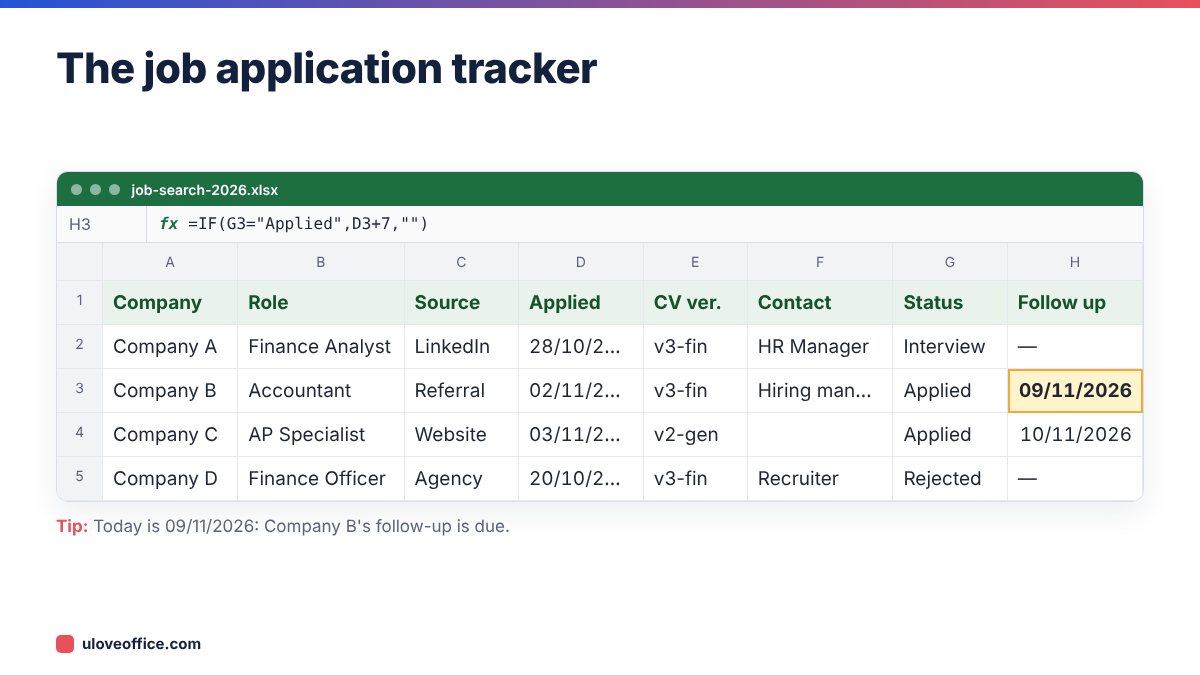
Select the headers and data area and press Ctrl+T to create a table named Apps. Tables add filters and extend formulas automatically.
Step 2: Add a status drop-down
Consistent statuses make counting possible. On a sheet called Lists, type:
Saved, Applied, Screening, Interview 1, Interview 2, Final interview, Offer, Accepted, Rejected, Withdrawn, No response
Then select the Status column, go to Data > Data Validation > List, and point the source to the list. Do the same for Source. Our guide on creating a drop-down list in Excel shows the steps in detail.
Step 3: Calculate follow-up dates
In the Follow-up date column:
=IF([@Status]="Applied", [@[Date applied]]+7, IF(LEFT([@Status],9)="Interview", [@[Date applied]]+3, ""))
Adjust the rule to your style. Some people prefer a manual follow-up date, updated after each contact. If you want to count working days only, use WORKDAY.INTL([@[Date applied]], 5, 1) for the UAE Saturday–Sunday weekend; see our Excel date formulas guide.
Step 4: Highlight what needs attention today
Select the table rows and add conditional formatting with formulas:
- Follow-up due today or overdue (amber):
=AND($K2<>"", $K2<=TODAY(), $I2<>"Rejected") - Interviews (green):
=LEFT($I2,9)="Interview" - Offers (blue):
=$I2="Offer" - Closed (grey text):
=OR($I2="Rejected", $I2="Withdrawn")
Each morning, sort by follow-up date and work through the amber rows.
Step 5: Build a pipeline summary
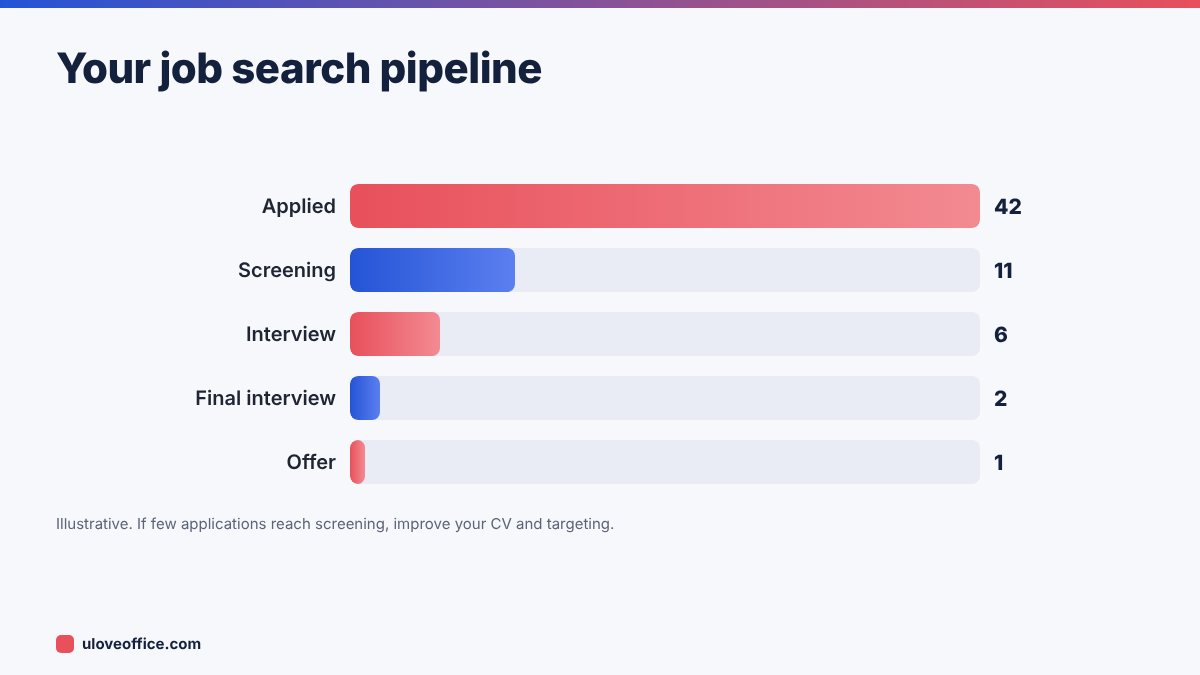
On a Summary sheet, count applications by status:
=COUNTIF(Apps[Status], A2) where A2 holds each status name.
And by source, with interview rate:
- Applications from a source:
=COUNTIF(Apps[Source], A2) - Interviews from that source:
=COUNTIFS(Apps[Source], A2, Apps[Status], "Interview*")+COUNTIFS(Apps[Source], A2, Apps[Status], "Offer")+COUNTIFS(Apps[Source], A2, Apps[Status], "Accepted") - Interview rate: interviews ÷ applications.
A simple bar chart of the pipeline shows where applications stall.
Step 6: Keep interview notes
Add an Interviews sheet with one row per interview: date, company, interviewers, format (phone, video, in person), questions asked, your answers’ strengths and weaknesses, follow-up sent, and next steps. Before a second interview, reading these notes is invaluable.
Send a short thank-you email within 24 hours after each interview, and log it.
Reading the numbers
Your summary tells you where to focus:
- Few responses to applications: your CV may not be passing screening. Check it against our ATS-friendly CV guide, and quantify your achievements; see how to quantify achievements on your CV.
- Screening calls but no interviews: work on your phone pitch and salary expectations.
- Interviews but no offers: practise interview answers with examples, and research companies more deeply.
- One source works much better: spend more time there. Referrals and direct approaches often outperform mass job boards.

Keeping documents organised
Alongside the tracker, keep a folder per application with the job description (saved as PDF), the CV and cover letter you sent, and any correspondence. Name files consistently: 2026-11-02_CompanyB_Accountant_CV-v3.pdf.
- Export your CV and cover letter to PDF with Word to PDF so formatting stays intact.
- Keep files small for portals with Compress PDF.
- Merge certificates into one file in a logical order with Merge PDF when employers request them.
For UAE-specific formats, see our guides to the CV format for UAE jobs and cover letters for Dubai.
Tips for the UAE job market
- Follow up politely by email or LinkedIn message after about a week; avoid repeated calls.
- Track visa and notice details: note your current notice period and visa status for each conversation, as employers often ask early.
- Record salary discussions carefully, including basic salary versus allowances, which matters for gratuity and leave calculations later.
- Note recruitment agencies’ submissions to avoid being submitted twice to the same employer by different agencies.
- Be careful with job scams: legitimate employers do not ask candidates to pay for visas or jobs. Under UAE law, recruitment and visa costs are the employer’s responsibility.
Worked example
A finance professional in Sharjah tracked 42 applications over six weeks. The summary showed that 30 applications via job boards produced one screening call, while 8 referrals and direct approaches produced five screening calls and four interviews. She shifted her time to networking on LinkedIn and approaching companies directly, tailored her CV into two versions, and received an offer three weeks later. Without the tracker, she would have kept spending most of her time on the least effective channel.
A weekly review routine
Once a week, spend fifteen minutes on the tracker:
- Update any statuses you missed during the week.
- Mark applications with no response after three weeks as “No response”, unless the employer gave a longer timeline.
- Look at the summary: how many applications, screening calls and interviews this week?
- Compare sources and CV versions. Which produced responses?
- Set three goals for next week, for example “five tailored applications, two referral requests, one follow-up call with an agency”.
This short review stops the search from becoming a blur of activity and keeps you focused on what produces results.
Templates for follow-up messages
Keep short templates in a notes sheet in the workbook:
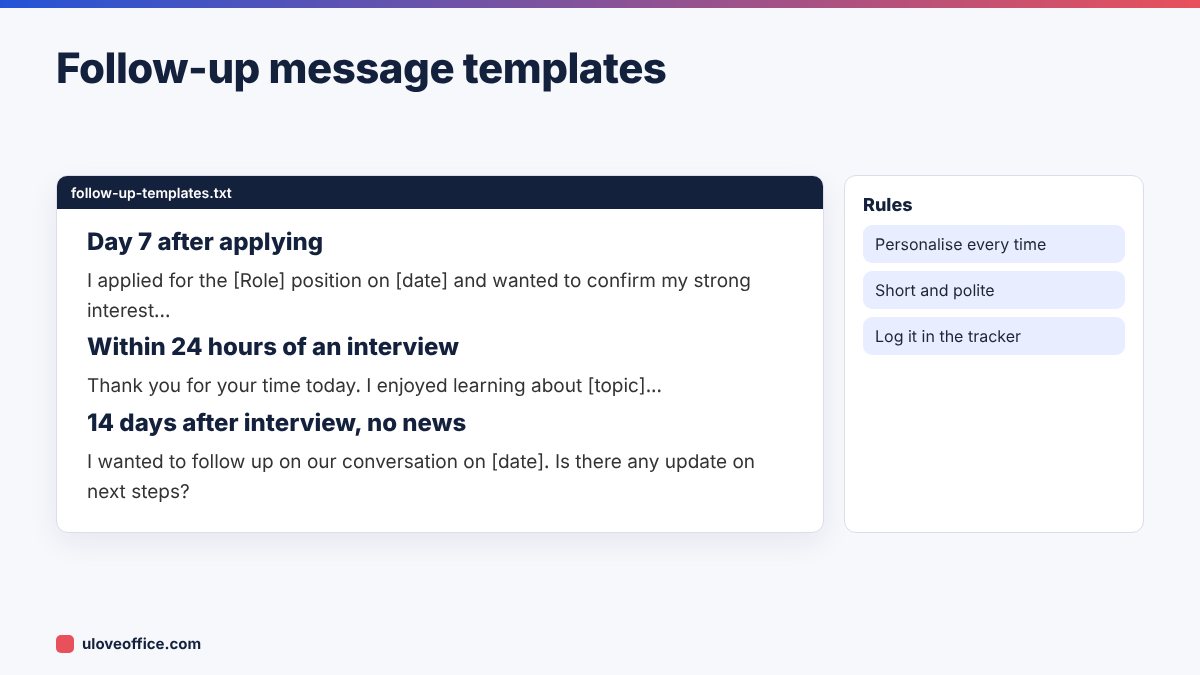
- After applying (day 7): “Dear [Name], I applied for the [Role] position on [date] and wanted to confirm my strong interest. I believe my experience in [skill] would be valuable to [Company]. I would welcome the opportunity to discuss it.”
- After an interview (within 24 hours): “Thank you for your time today. I enjoyed learning about [topic], and I’m even more interested in the role.”
- After no response (day 14 after interview): “I wanted to follow up on our conversation on [date]. Is there any update on next steps?”
Personalise each one before sending; templates save time, but generic messages are easy to spot.
Log every follow-up in the Notes column with the date, so you never send two reminders too close together.
Key takeaways
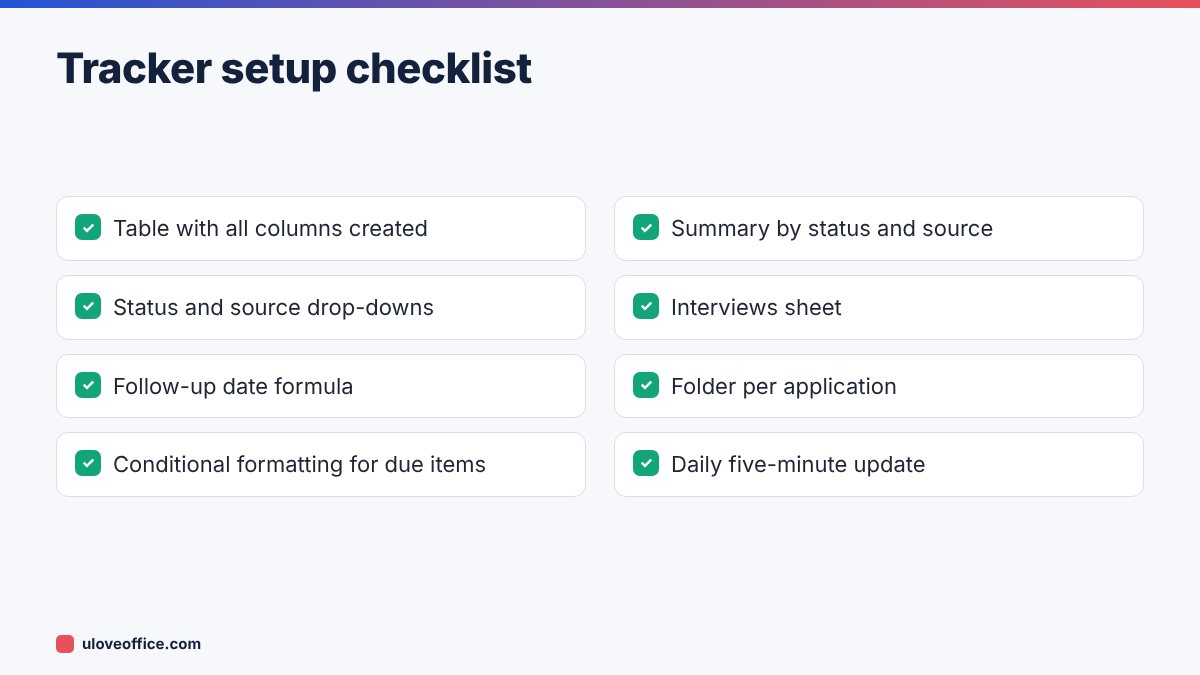
- One row per application, with a consistent status drop-down.
- Calculate follow-up dates and highlight what is due today.
- Track sources and CV versions to see what produces interviews.
- Keep interview notes and documents organised alongside the tracker.
- Use the numbers to adjust your strategy every couple of weeks.
Using the tracker for networking
Add a second table called Contacts with name, company, role, how you met, date of last contact and next step. Many UAE jobs come through people you know or meet, so treat networking like applications: log each conversation, set a follow-up date and use the same conditional formatting to highlight who to contact this week. Link contacts to applications by company name, so you can see at a glance whether you know someone at a company before you apply. A warm introduction from a contact often turns an application that would be ignored into a screening call.
📘 Continue reading
Frequently asked questions
Can I use Google Sheets instead?
Yes. Data validation, COUNTIF and conditional formatting work the same way, and you can update it from your phone.
How many applications should I send per week?
Quality beats quantity. Ten tailored applications usually beat fifty generic ones.
Should I track rejected applications?
Yes. They help you see patterns, and you may reapply to the same company later.
What about applications through LinkedIn Easy Apply?
Track them too, with “LinkedIn Easy Apply” as the source; they often have lower response rates.
Conclusion
A job application tracker turns a scattered search into a managed process. Build a table with clear statuses, follow-up dates and source tracking, highlight what needs action each day, keep interview notes and review your numbers regularly. You will follow up on time, send the right documents and focus on the channels that actually lead to offers.
Last checked: 9 November 2026.