
ATS-friendly CV: what it means and how to pass the scan
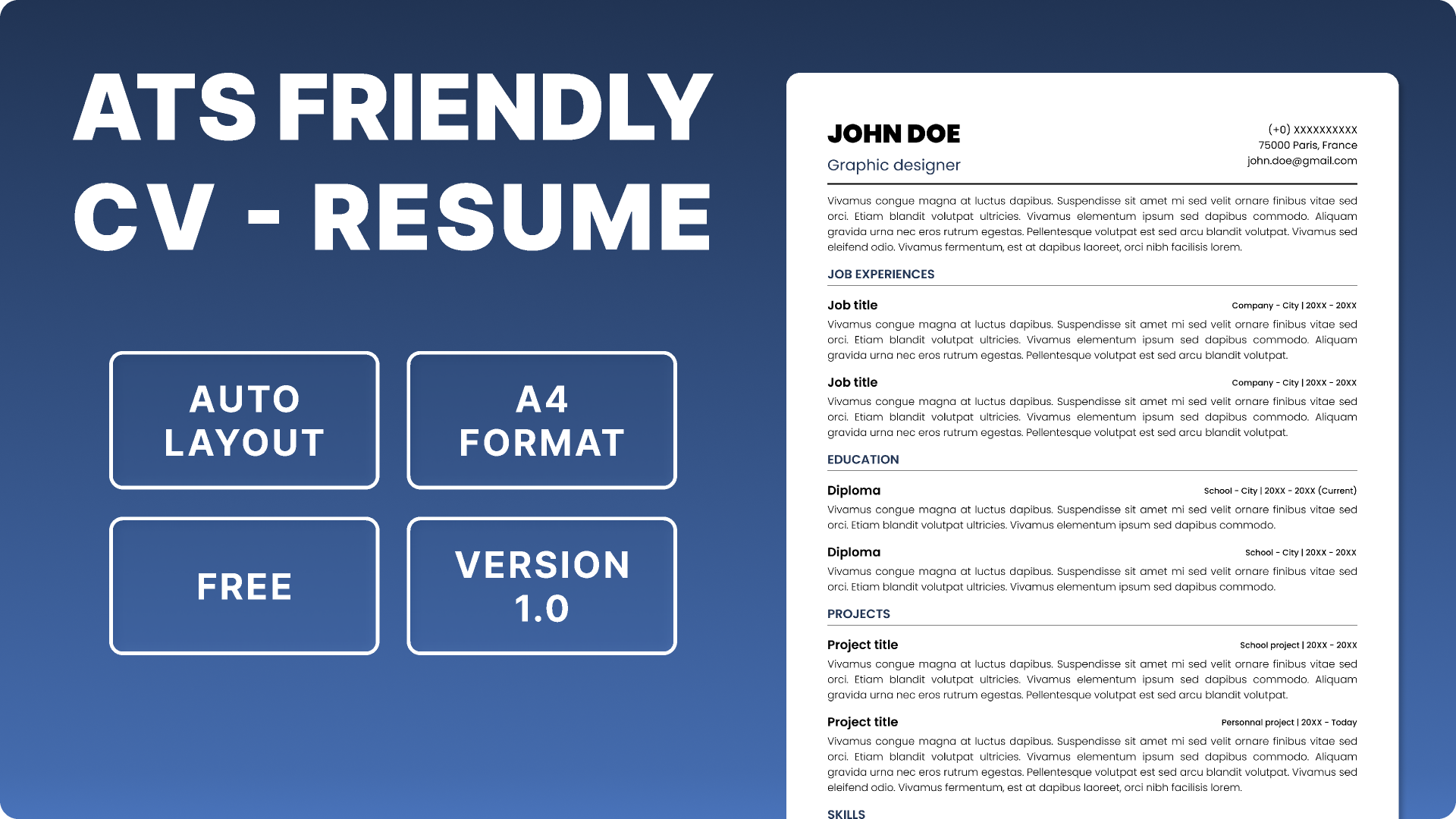
An ats friendly cv is a CV designed so an Applicant Tracking System (ATS) can read, extract and search its information accurately before a recruiter reviews it. The safest approach is a simple, single-column layout with standard section headings, readable text, relevant keywords from the job description and clearly stated experience. Avoid decorative graphics, charts, text boxes and complex columns. An ATS-friendly CV is not a guarantee of an interview; it simply reduces avoidable parsing problems and makes your qualifications easier to find.
What is an ATS-friendly CV?
An ATS-friendly CV is a CV formatted for applicant tracking software used to manage recruitment. ATS platforms can parse information such as work history, skills, education and job titles, then make that information searchable or use it as part of screening and matching workflows. Because systems differ, there is no universal format that guarantees every ATS will read every document perfectly.
The practical goal is straightforward: make your CV easy for software to parse and easy for a recruiter to understand. That means prioritising content and structure over visual effects.
How to make an ATS-friendly CV step by step
1. Start with a simple CV structure
Use a conventional order such as Contact Information, Professional Summary, Skills, Work Experience and Education. Use clear headings that describe the section. Keep the main content in one column where possible.
2. Put contact details in the document body
Place your name, phone number, email address and location in the main body rather than relying on headers or footers. This gives parsing software a better chance of capturing the information correctly.
3. Use readable formatting
Choose a common, readable font and keep formatting consistent. Use bold for emphasis, normal bullets for achievements and straightforward date formats such as Jan 2024–Mar 2026. Avoid decorative icons, progress bars, charts and image-based text.
4. Avoid tables, text boxes and complicated columns
A visually impressive CV can become difficult to parse when information is arranged in tables, floating text boxes or multiple columns. A single-column layout is a safer default for an ATS-friendly CV.
5. Match relevant keywords to the job description
Read the vacancy carefully and identify the skills, tools, certifications, job titles and responsibilities that genuinely match your background. Use the employer’s terminology where it accurately describes your experience. Do not add keywords for skills you do not have.
6. Show evidence instead of listing keywords
Do not turn your CV into a keyword list. Put relevant terms inside achievement-focused bullet points. For example, instead of writing “Project management,” write “Managed a 6-month ERP implementation across three departments, reducing manual processing time by 30%.”
7. Keep job titles and dates clear
Use recognisable job titles and place company, role and dates in an obvious order. If your official title is unusual, you can clarify it with a commonly understood equivalent only when that description is accurate.
8. Choose the requested file type
Follow the employer’s instructions. If the application specifically asks for PDF, submit PDF. If it asks for DOCX, submit DOCX. Do not assume one file type works for every employer or ATS.
9. Test the finished CV before applying
Copy the text into a plain-text editor or use an ATS CV checker to see whether the sections, dates, skills and contact details remain understandable. A useful test is to check whether your CV still makes sense when all visual styling is removed.
Worked example: tailoring an ATS-friendly CV for a UAE role
Suppose a property company in the UAE advertises a Property Management Executive role with requirements including tenant relations, lease administration, collections, reporting and Microsoft Excel. A weak CV might simply say “Handled tenants and property work.” An ATS-friendly version should connect the candidate’s real experience to the requirements with specific evidence.
Before: “Responsible for tenants, leases and payments.”
After: “Managed 85 residential tenancy files, prepared lease documentation, followed up AED 420,000 in outstanding rent, and produced monthly Excel collection reports for management.”
The AED figures make the achievement concrete, while terms such as tenancy files, lease documentation, outstanding rent, Excel and collection reports are relevant to the example vacancy. The candidate should use these terms only if they accurately describe their actual work.
If the job description asks for “lease administration,” do not rely only on “lease work.” Where truthful, use the exact phrase “lease administration” in the summary, skills section or an achievement bullet. This is keyword optimisation, not keyword stuffing.
Common ATS-friendly CV mistakes
- Using a graphic-heavy template with photos, icons, charts or skill bars.
- Putting important contact information inside headers or footers.
- Using vague headings such as “My Journey” instead of standard section labels.
- Adding keywords that do not match your actual skills or experience.
- Submitting the wrong file type when the employer specifies one.
- Writing long paragraphs that hide measurable achievements.
- Assuming an ATS score is a universal hiring standard. ATS systems differ, and an automated screening result is not a guarantee of selection.
FAQ: common questions about ATS-friendly CVs
What does ATS-friendly mean on a CV?
It means the CV uses a clear structure, readable formatting and relevant content that applicant tracking software can parse and search more reliably.
What is the best format for an ATS-friendly CV?
There is no single universal format for every ATS. A simple, single-column CV with standard headings, readable text and no unnecessary graphics is a strong default. Always follow the employer’s file-type instructions.
Can an ATS read a PDF CV?
Many systems can process PDFs, but compatibility can vary. If an employer specifies PDF, use PDF; if it specifies DOCX, use DOCX. Do not ignore the application’s instructions.
Should I use keywords in an ATS-friendly CV?
Yes, when they accurately reflect the job and your experience. Use relevant terms from the job description naturally in your summary, skills and achievement bullets rather than repeating keywords unnaturally.
Why is my ATS-friendly CV still not getting interviews?
ATS compatibility is only one part of an application. Your experience, qualifications, relevance to the role, competition, application timing and recruiter decisions can all affect the result.
Conclusion
An ATS-friendly CV does not need complicated design. Make the structure clear, keep formatting simple, use relevant keywords naturally and prove your skills with specific achievements. Before you apply, check how your CV is parsed and whether the important information is easy to find. You can use the ATS/CV tool on ULoveOffice to review your CV and identify areas that may need improvement.
Editorial assets and SEO metadata
Meta title: ATS-Friendly CV: How to Pass the ATS Scan
Meta description: Learn how to create an ATS-friendly CV with simple formatting, relevant keywords, clear sections and practical tips to improve ATS readability and job matching.
URL slug: /ats-friendly-cv/
Suggested secondary keywords: ATS friendly resume, ATS resume, ATS CV format, ATS compatible CV, ATS optimized CV, ATS resume template, applicant tracking system resume, CV keywords, ATS CV checker, resume scanner, ATS screening, how to make a CV ATS friendly, ATS compliant resume.
Screenshots needed
- Step 1: Tool landing/upload screen showing where the user starts an ATS CV check.
- Step 2: CV upload or file-selection screen.
- Step 3: Analysis/results screen showing the CV being checked for ATS readability.
- Step 4: Keyword or job-description matching results, if available in the live tool.
- Step 5: Final recommendations/results screen showing issues the user can fix before applying.
Internal links
- Target tool page: ULoveOffice ATS/CV tool — insert the exact live tool URL after confirming the page path.
- Related article: How to write a professional CV — insert the published article URL.
- Related article: How to write a CV with no experience — insert the published article URL.
- Related article: Common CV mistakes to avoid — insert the published article URL.
Sources
Indeed, “How To Write an ATS-Friendly Resume,” updated June 16, 2026. https://www.indeed.com/career-advice/resumes-cover-letters/ats-resume
Indeed, “ATS-Friendly Resume: 18 Tips to Pass Applicant Tracking Systems,” updated July 1, 2026. https://www.indeed.com/career-advice/resumes-cover-letters/automated-screening-resume
Indeed UK, “How to create an ATS-Friendly CV (With example and template),” updated June 16, 2026. https://uk.indeed.com/career-advice/cvs-cover-letters/ats-friendly-cv