
What is PDF/A? When businesses need archive-ready PDFs
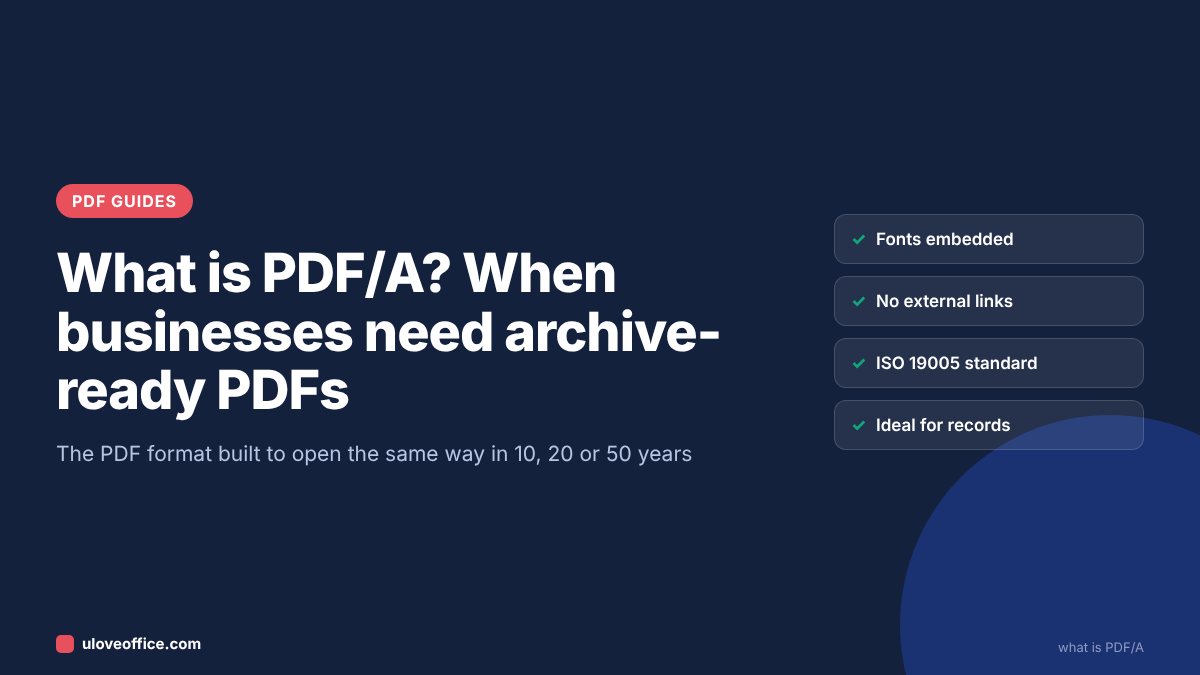
Quick answer: PDF/A is a version of PDF designed for long-term archiving. It is defined by the international standard ISO 19005. A PDF/A file contains everything needed to display it exactly the same way in the future: all fonts are embedded, colours are defined, and features that depend on outside resources, such as external links to fonts, JavaScript, audio, video and encryption, are not allowed. Use PDF/A for records you must keep for years, such as invoices, contracts, payroll records and tax documents. You can convert files for free with ULoveOffice PDF to PDF/A.
Most people never think about which “kind” of PDF they save. That is fine for a flyer you will throw away next month. It is not fine for a contract you might need to show a court in 2034, or an invoice the Federal Tax Authority asks for in an audit seven years from now.
Why normal PDFs can fail over time
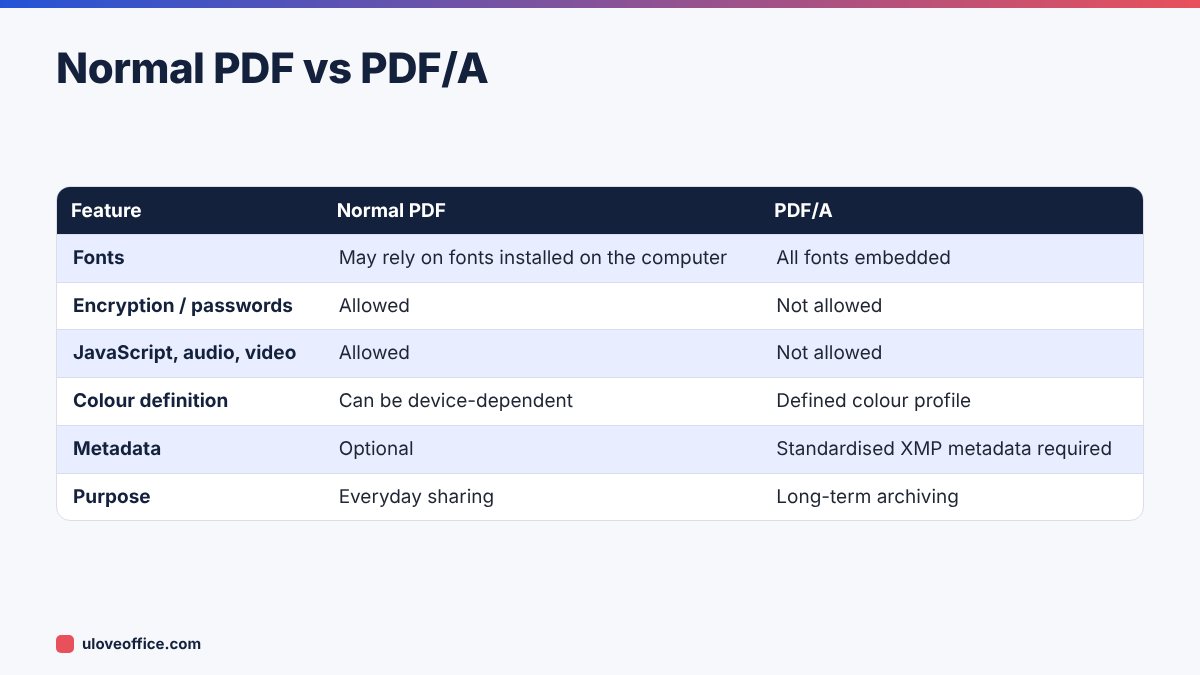
A normal PDF can depend on things outside the file. The most common problem is fonts. If a PDF does not embed a font, the viewer substitutes another one. Usually the substitute looks similar, but with Arabic text, special symbols or narrow table layouts, a substitute font can shift text, break lines or display empty boxes. In ten years, the original font may not exist on any computer.
Other risks include:
- Encryption: passwords get lost when staff leave. An encrypted archive nobody can open is worthless.
- Embedded media and scripts: future viewers may block or not support them.
- Links to external content: a PDF that shows an image from a web address will show nothing once the website changes.
- Colour problems: device-dependent colours may render differently on future screens or printers.
PDF/A solves this by forbidding these dependencies and requiring the file to be self-contained.
The PDF/A versions explained
There are several PDF/A parts and conformance levels. You only need to know the basics.
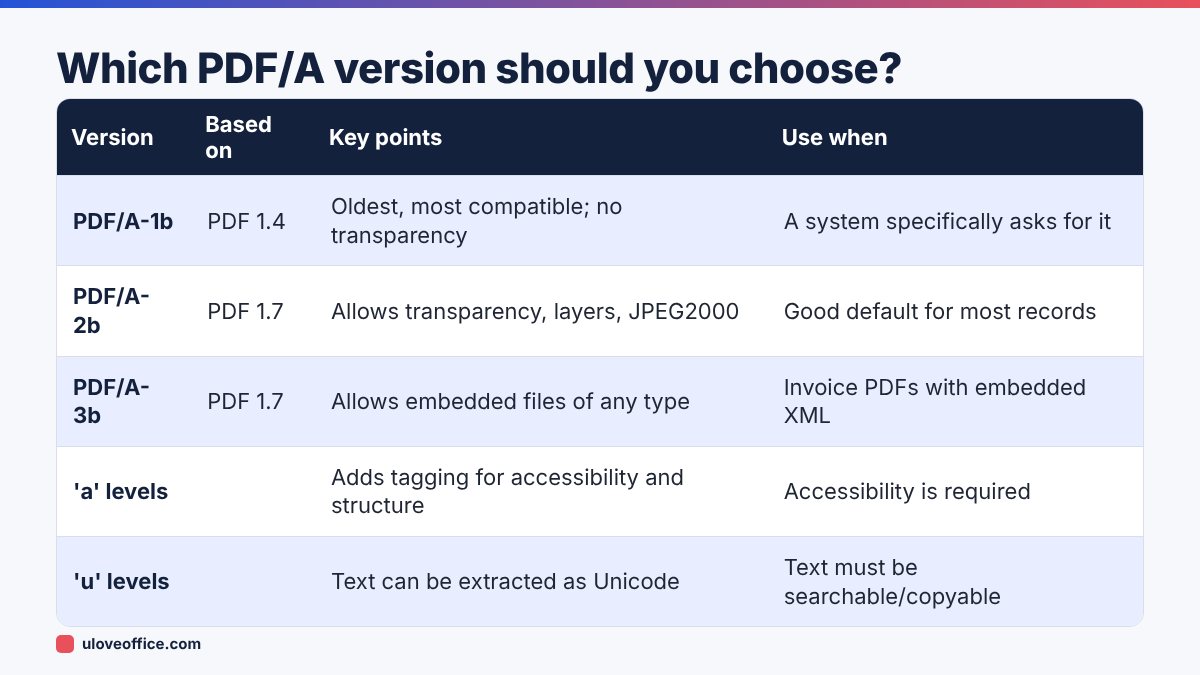
The letter at the end describes the conformance level:
- b (basic): guarantees the file will look the same in the future.
- u (Unicode): also guarantees that text can be reliably extracted, which matters for searching archives.
- a (accessible): also requires a logical structure and tags, useful for screen readers.
PDF/A-3 deserves a special mention because it allows other files to be embedded inside the PDF. Some e-invoicing formats in other countries use this to embed the structured XML invoice inside a human-readable PDF. In the UAE, the structured XML exchanged through your Accredited Service Provider is the legal e-invoice; a PDF/A-3 visual copy can be a convenient way to archive both together if your system produces it.
When UAE businesses should use PDF/A
Use PDF/A for documents you are legally required, or likely, to keep for years:
- Tax records: invoices, credit notes, import and export documents, VAT working papers. Tax rules require records to be kept for several years (generally at least five years for VAT and seven years for corporate tax; check current FTA guidance).
- Contracts and amendments, especially long-term leases, supply agreements and employment contracts.
- Corporate documents: memoranda of association, board resolutions, licences.
- HR records: signed contracts, warning letters, final settlement statements.
- Financial statements and audit reports.
- Project documents in construction and engineering, where claims can arise years later.
Some government portals, courts and tender platforms in different countries require or prefer PDF/A uploads. If a portal rejects your PDF with a message about fonts or format, PDF/A conversion often fixes it.
When you should not use PDF/A
PDF/A is not for everything:
- Forms people still need to fill: PDF/A does not allow some interactive features. Archive the completed, flattened form instead.
- Password-protected documents: PDF/A does not allow encryption. Protect the archive folder or storage system instead of individual files.
- Working drafts: archive the final version only.
- Files with video or audio: these features are not permitted.
How to convert a PDF to PDF/A
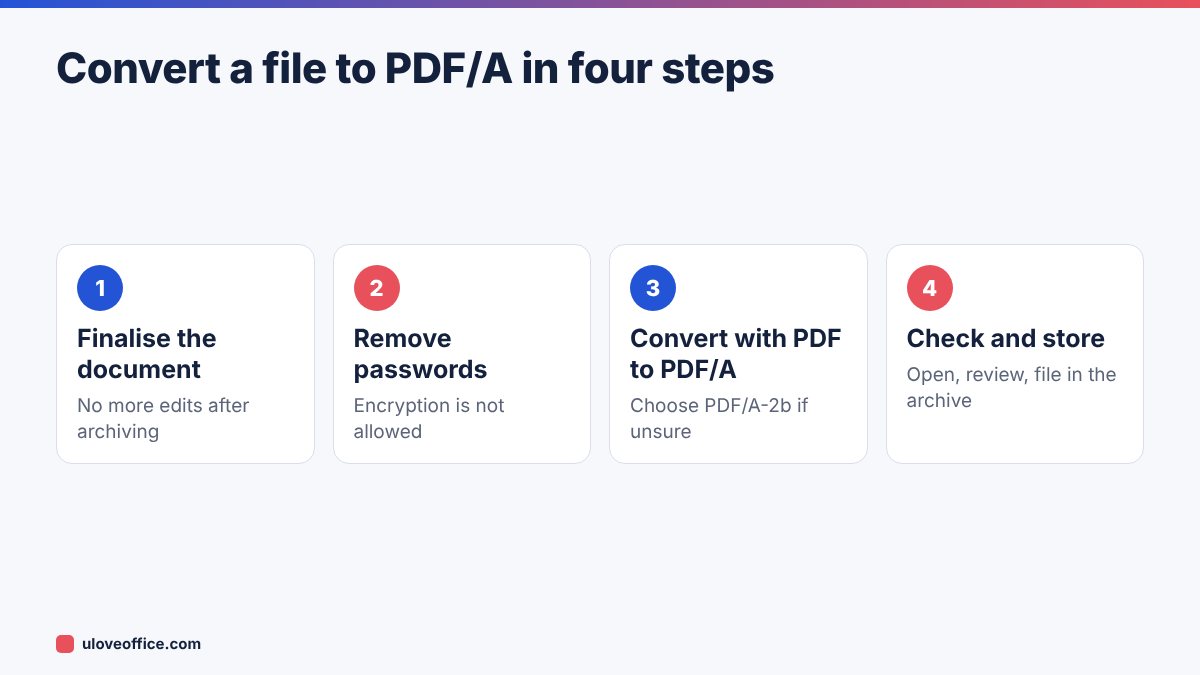
Step 1: Make sure the document is final
PDF/A is for the final record. Make your last edits first, including signatures and stamps.
Step 2: Remove passwords if present
If the file is protected, remove the password with Unlock PDF, as long as you are authorised to do so. Encrypted files cannot be valid PDF/A.
Step 3: Make scanned files searchable
If the document is a scan, run OCR PDF first. A searchable archive is much more useful: you can find any invoice by number or any contract by party name.
Step 4: Convert
Upload the file to PDF to PDF/A, choose the version if offered, and download the result.
Step 5: Check the result
Open the PDF/A file and compare it with the original. Check pages with Arabic text, tables and stamps. Most PDF viewers show a banner or a note in the document properties saying the file claims PDF/A conformance.
Converting Word and Excel files directly
If the original is in Word or Excel, you can often save straight to PDF/A:
- In Microsoft Word, choose File, Save As, PDF, then Options, and tick “PDF/A compliant”.
- In Excel, the same option appears under Options when saving as PDF. Set the print area and page layout first so columns are not cut off. Our guide on converting Excel to PDF without cutting off columns explains how.
Alternatively, create a normal PDF with Word to PDF or Excel to PDF, then convert it to PDF/A.
Building a PDF/A archive routine
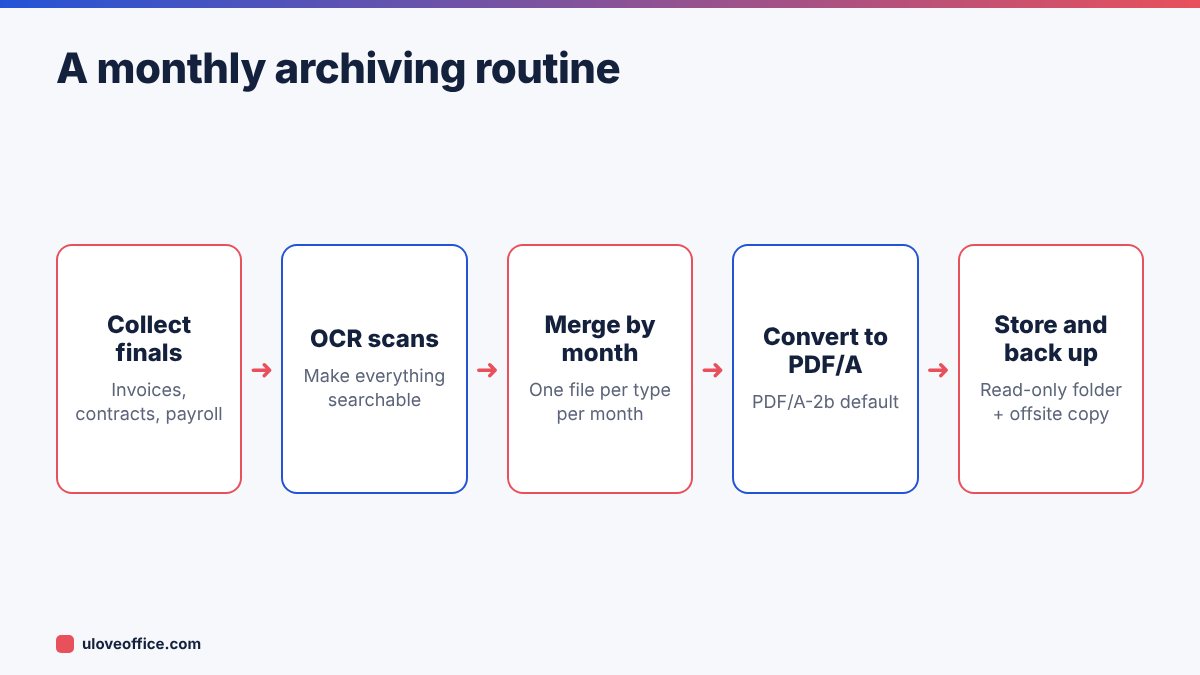
A practical routine for a small business:
- At month end, collect final versions of sales invoices, purchase invoices, contracts signed that month and payroll records.
- OCR any scans.
- Merge documents by type and month with Merge PDF, for example
2026-11_purchase-invoices.pdf. - Convert each merged file to PDF/A.
- Save in a folder structure by year and month, set to read-only, and keep at least one backup in a separate location.
- Note the retention end date for each folder, so you know when it can be reviewed for deletion.
Real-world example
A small Sharjah trading company kept seven years of supplier invoices as a mix of email attachments, scans from three different scanners and photos from staff phones. When the FTA requested invoices for a two-year period, finding and opening them took a week, and some scans used fonts that displayed incorrectly.
They moved to the monthly routine above. Each month now produces four or five PDF/A files that are searchable by invoice number and supplier name. The next request for supporting documents took under an hour to answer.
Naming and folder structure for a PDF/A archive
A good archive is easy to search even without special software. Use a consistent structure:
- Top level by year:
Archive/2026/ - Then by record type:
Sales-invoices,Purchase-invoices,Contracts,Payroll,Bank,VAT-returns. - File names that sort correctly: start with the date in
YYYY-MMformat, then the type and a short description, for example2026-11_Purchase-invoices_All-suppliers.pdfor2026-11-03_Contract_Client-A_Maintenance.pdf.
Avoid spaces and special characters in file names if your archive may move between systems. Keep a simple index spreadsheet listing each archive file, what it contains, the retention end date and where the backup copy is stored.
How long to keep different records
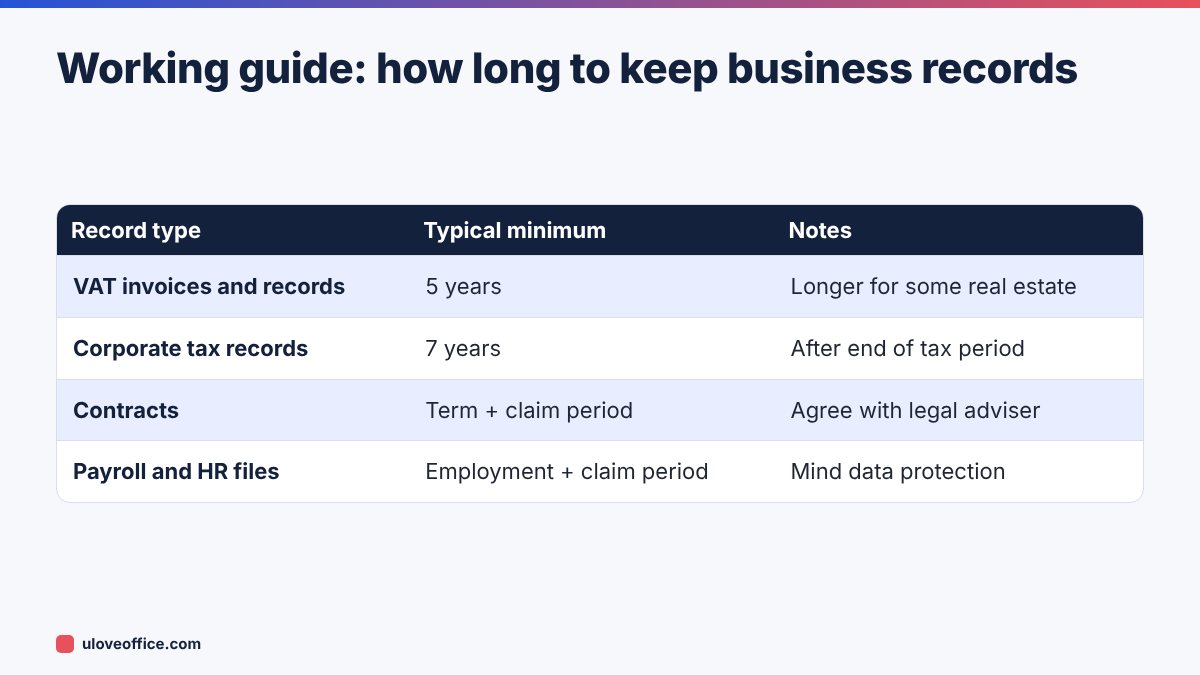
Retention periods depend on the law and on your contracts, so confirm them with your accountant. As a working guide for UAE businesses:
- VAT records: generally at least five years, longer for some real estate records.
- Corporate tax records: generally seven years after the end of the relevant tax period.
- Employment records: keep for the duration of employment plus a period afterwards to cover claims; agree a period with your legal adviser.
- Contracts: for the life of the contract plus the period in which claims can be made.
Write the retention end date on your index so records are not kept forever, which also creates data protection risk, or deleted too early.
📘 Continue reading
Frequently asked questions
Is PDF/A required by UAE law?
UAE tax rules require records to be kept in a retrievable form for set periods, but they do not generally name PDF/A specifically. PDF/A is a best-practice format that makes long-term retention easier. Check any specific requirements with your adviser or the relevant authority.
Is PDF/A bigger than a normal PDF?
Sometimes slightly, because fonts are embedded. For archives, reliability matters more than a few kilobytes.
Can I edit a PDF/A file?
Technically you can open and edit it in some tools, but editing usually breaks conformance. Treat PDF/A as read-only.
Can I password-protect PDF/A?
Not within the standard. Protect the storage location instead.
Does PDF/A work with Arabic?
Yes, as long as the fonts are embedded during conversion. Always check Arabic pages after converting.
Conclusion
PDF/A is simply PDF built to last. Use it for the records you have to keep for years: invoices, contracts, payroll and tax documents. Finalise the document, remove passwords, OCR scans, convert with PDF to PDF/A and store it in an organised, backed-up folder. When an auditor, a court or your future self needs a document, it will open exactly as it did on the day you saved it.
Last checked: 9 November 2026.