
Excel date formulas for HR and payroll: NETWORKDAYS, EDATE and EOMONTH
Quick answer: For UAE working days, use =NETWORKDAYS.INTL(start, end, 1, holidays), because weekend code 1 means Saturday and Sunday, the UAE federal weekend since 2022. Use =EDATE(start, 6) to find a date six months later, for example the end of a probation period, and =EOMONTH(date, 0) to get the last day of the month for payroll cut-offs. For years of service, use =DATEDIF(start, end, "y") or =YEARFRAC(start, end). Keep public holidays in a separate table and refer to it in every working-day formula.
HR and payroll teams work with dates constantly: probation reviews, visa renewals, leave balances, notice periods and month-end cut-offs. Doing these by counting on a calendar is slow and error-prone. These formulas do it instantly and update when dates change. You can cross-check any result with our free Working Days Calculator.
Before you start: make sure Excel sees real dates
Every formula here needs real Excel dates, not text that looks like a date. Common problems:
- Dates imported from a system as text, often left-aligned in the cell.
- Mixed formats, such as 03/04/2026 meaning 3 April for some staff and 4 March for others.
- Arabic numerals or Hijri dates pasted from another system.
To check, select a date cell and change the format to “General”. A real date turns into a number such as 46000. Text stays the same. To fix text dates, use Data > Text to Columns and choose the DMY date format, or use =DATEVALUE() when the text is in a recognised format.
Set your Windows or Mac regional format to show DD/MM/YYYY if that is what your team uses, so everyone reads dates the same way.
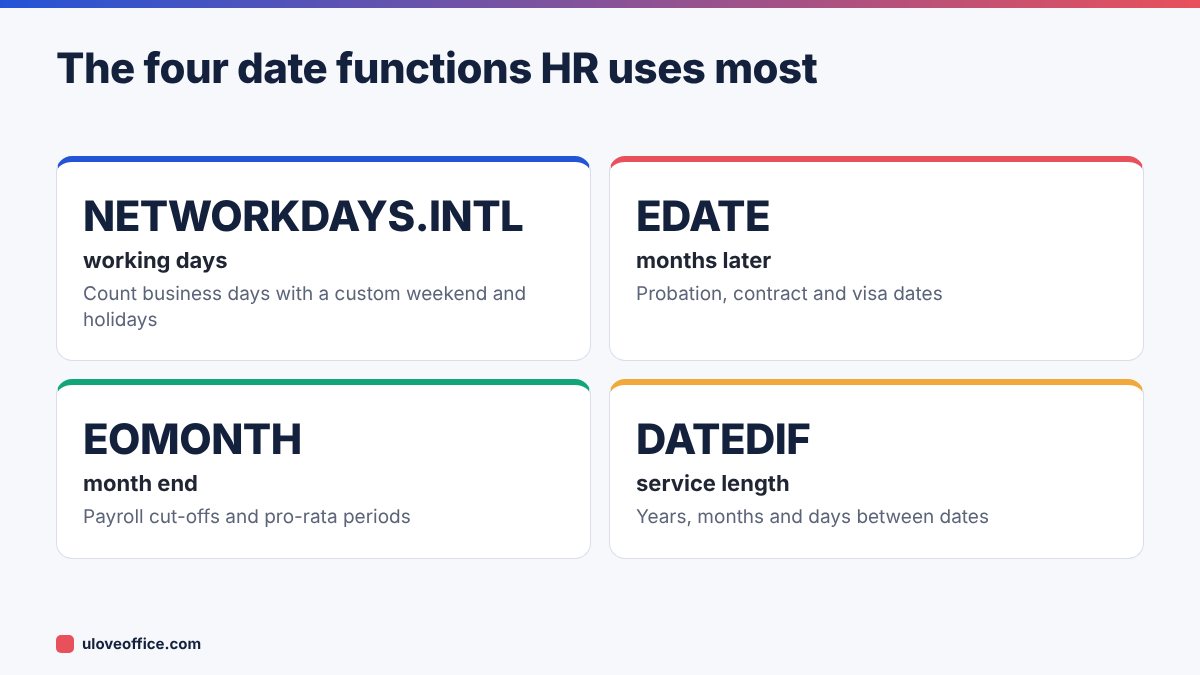
1. NETWORKDAYS.INTL: working days with the UAE weekend
The older NETWORKDAYS function assumes a Saturday–Sunday weekend, which happens to match the UAE federal weekend since January 2022. But many UAE businesses work different patterns, such as a six-day week with only Sunday off, or Friday off in some sectors. NETWORKDAYS.INTL lets you set any weekend.
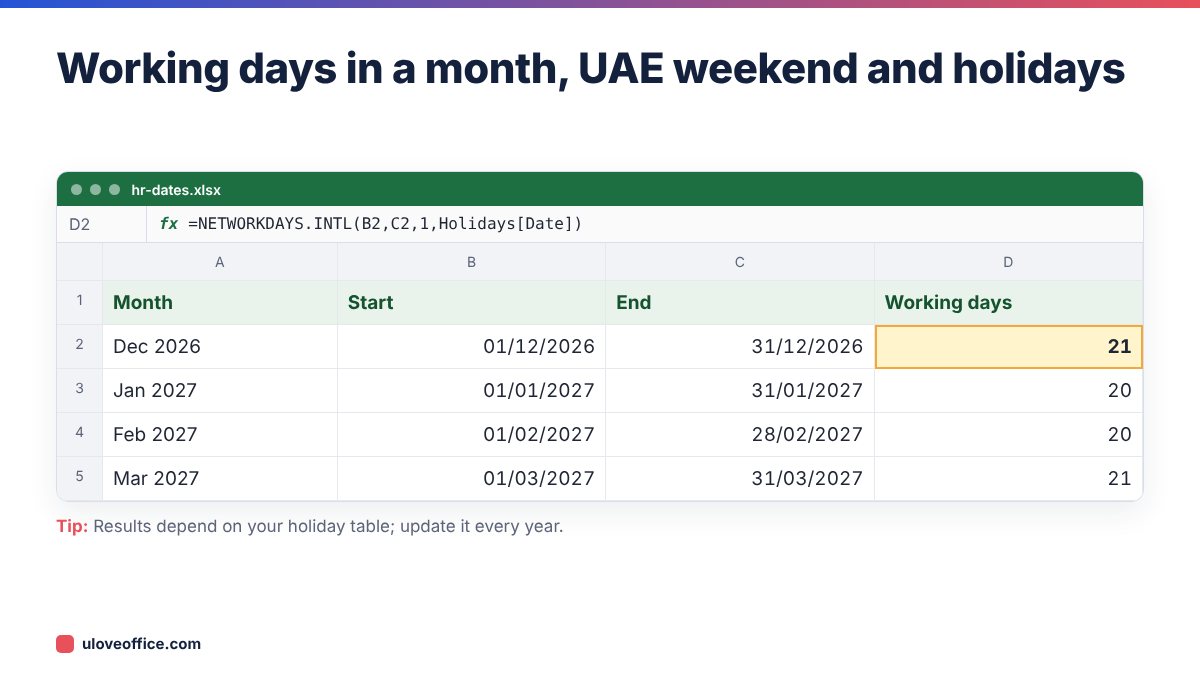
Syntax: =NETWORKDAYS.INTL(start_date, end_date, weekend, holidays)
Common weekend codes:
- 1 = Saturday and Sunday (UAE federal weekend)
- 11 = Sunday only (six-day week)
- 7 = Friday and Saturday (the pre-2022 UAE weekend; still used by some companies abroad)
- 16 = Friday only
You can also use a seven-character string where 1 means a weekend day, starting on Monday: "0000011" is Saturday and Sunday.
Building a holiday table
Create a sheet called Holidays with a table of dates and names. Format it as an Excel Table (Ctrl+T) and name it Holidays. Then refer to Holidays[Date] in formulas. When the government announces next year’s holidays, add them to the table, and every formula updates.
UAE public holidays based on the Islamic calendar move each year and are sometimes confirmed only shortly before. Enter expected dates, then correct them when announced. Our guide to UAE public holidays 2027 lists the expected dates.
2. WORKDAY.INTL: the date after N working days
When you need a deadline, not a count, use WORKDAY.INTL.
Syntax: =WORKDAY.INTL(start_date, days, weekend, holidays)
Examples:
- Deadline 10 working days after a complaint is received:
=WORKDAY.INTL(A2, 10, 1, Holidays[Date]) - Five working days before a payroll date:
=WORKDAY.INTL(B2, -5, 1, Holidays[Date])
3. EDATE: the same day N months later
EDATE adds whole months, handling different month lengths automatically.
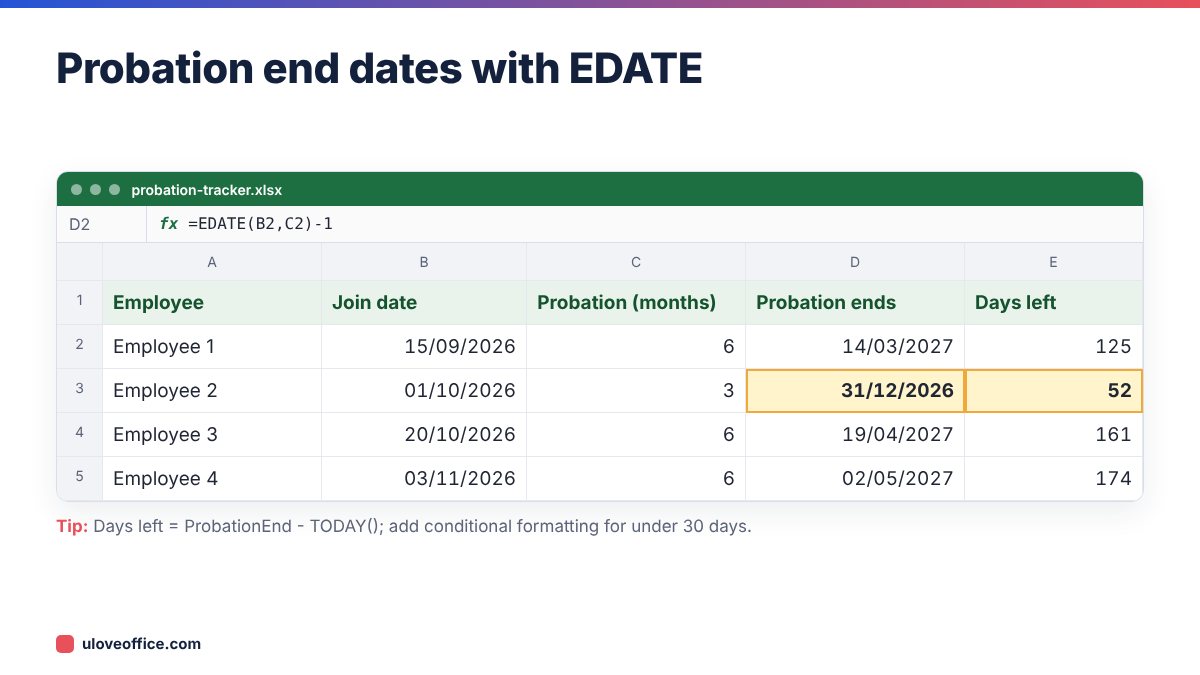
Syntax: =EDATE(start_date, months)
HR uses:
- Probation end:
=EDATE(JoinDate, 6) - 1for a six-month probation. The UAE Labour Law sets a maximum probation of six months. - Contract renewal or expiry:
=EDATE(ContractStart, 24) - 1for a two-year term. - Review reminders:
=EDATE(JoinDate, 3)for a three-month check-in.
Subtracting 1 gives the last day of the period rather than the anniversary date. Decide which your policy uses and apply it consistently.
4. EOMONTH: last day of the month
Syntax: =EOMONTH(start_date, months)
=EOMONTH(A2, 0)gives the last day of the same month.=EOMONTH(A2, -1) + 1gives the first day of the same month.=EOMONTH(A2, 1)gives the last day of next month.
Payroll uses:
- Pro-rata salary for joiners: days worked =
EOMONTH(JoinDate,0) - JoinDate + 1. Multiply by monthly salary ÷ days in the month, or ÷ 30 if that is your policy. - Pay date: if salary is paid on the last working day of the month,
=WORKDAY.INTL(EOMONTH(A2,0)+1, -1, 1, Holidays[Date]).
5. DATEDIF and YEARFRAC: length of service
Service length drives gratuity, annual leave eligibility and long-service awards.
- Complete years:
=DATEDIF(JoinDate, EndDate, "y") - Remaining months:
=DATEDIF(JoinDate, EndDate, "ym") - Remaining days:
=DATEDIF(JoinDate, EndDate, "md") - Years as a decimal:
=YEARFRAC(JoinDate, EndDate, 1)
Combine them for a readable result:
=DATEDIF(B2,C2,"y")&" years, "&DATEDIF(B2,C2,"ym")&" months"
DATEDIF does not appear in Excel’s function suggestions, but it works. Note that the “md” unit can give odd results at month ends, so use it for display rather than calculations.
For gratuity, decimal years from YEARFRAC are useful, as gratuity for part years is pro-rated. Cross-check results with our UAE Gratuity Calculator.

6. Annual leave accrual
Under UAE Labour Law, employees are entitled to 30 calendar days of annual leave per year after one year of service, and two days per month after six months in the first year. A simple accrual formula for the current year, assuming 30 days a year after the first year:
=ROUND(30 * YEARFRAC(MAX(LeaveYearStart, JoinDate), TODAY(), 1), 1)
Subtract leave taken to get the balance. For first-year employees, apply your policy for the six-month rule. Our guide on how to calculate leave salary in UAE explains how leave is paid.
7. Notice period end dates
The UAE Labour Law sets notice periods between 30 and 90 days, as stated in the contract. Notice is in calendar days, so a simple addition works:
=NoticeGivenDate + NoticeDays - 1
If your policy counts the last working day instead, wrap it in WORKDAY.INTL.
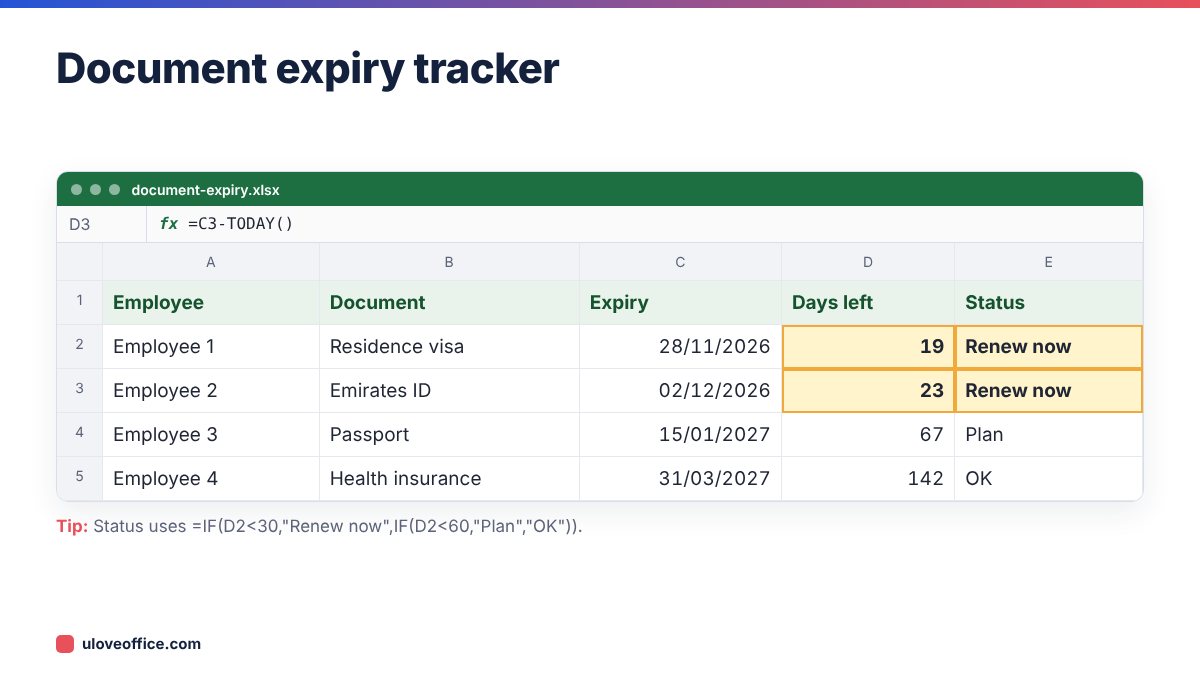
8. Visa and document expiry alerts
Keep a column for each expiry date (visa, Emirates ID, passport, labour card, medical insurance) and add a “days to expiry” column:
=ExpiryDate - TODAY()
Then use conditional formatting: red under 30 days, amber under 60, green otherwise. Sort or filter by the smallest number every Monday.
Putting it together: one HR dates workbook
Rather than scattering formulas across files, build one workbook with three sheets:
- Staff: one row per employee with join date, probation length, contract end, notice days, visa expiry, Emirates ID expiry and passport expiry.
- Holidays: the named table of public holidays, updated each year.
- Dashboard: counts of probations ending in the next 30 days, documents expiring in the next 60 days and contracts up for renewal this quarter, using
COUNTIFS.
For example, probations ending in the next 30 days:
=COUNTIFS(Staff[ProbationEnd], ">="&TODAY(), Staff[ProbationEnd], "<="&TODAY()+30)
Add a filter view so managers see only their own team, and protect formula columns using the method in our guide on how to lock cells and protect formulas in Excel. Remember that this workbook holds personal data, so store it in a restricted folder and share access only with people who need it.
Worked example: a new joiner’s key dates
An employee joins on 15 September 2026 with a six-month probation, a two-year contract, 30 days’ notice and a residence visa valid to 14 September 2028. The workbook calculates:
- Probation ends:
=EDATE("15/09/2026",6)-1gives 14 March 2027. - Probation review reminder two weeks earlier: 28 February 2027.
- Contract end:
=EDATE("15/09/2026",24)-1gives 14 September 2028. - First full payroll month after joining: October 2026, with September pro-rated using EOMONTH (16 days).
- Visa renewal reminder 60 days before expiry: 16 July 2028.
Every date updates automatically if the join date is corrected.
Common mistakes
- Using NETWORKDAYS when the company works Saturdays. Use NETWORKDAYS.INTL with the right code.
- Forgetting holidays or leaving last year’s holiday table in place.
- Text dates that look right but break formulas.
- Mixing “last day” and “anniversary” logic for probation and contracts.
- Hard-coding today’s date instead of using
TODAY(), so trackers go stale.
📘 Continue reading
Frequently asked questions
What is the UAE weekend code in NETWORKDAYS.INTL?
Code 1 (Saturday and Sunday) for the federal weekend since 2022.
How do I handle half-day Fridays?
NETWORKDAYS.INTL counts whole days. Track shortened hours separately, for example with a working hours column. Our guide on how to calculate working hours in Excel shows how.
Does EDATE work if the start date is the 31st?
Yes. It returns the last day of the target month if that month is shorter, for example 31 August plus 6 months gives 28 or 29 February.
Can I use these formulas in Google Sheets?
Yes. NETWORKDAYS.INTL, WORKDAY.INTL, EDATE, EOMONTH and DATEDIF all work in Google Sheets.
Key takeaways
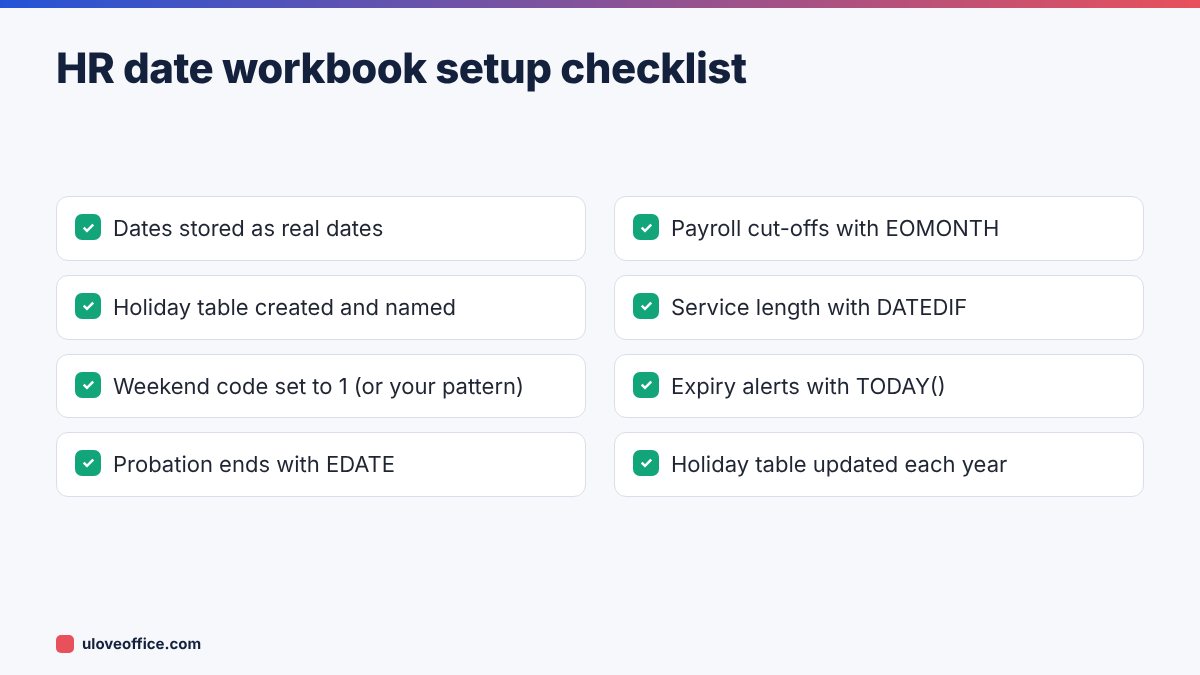
- Use NETWORKDAYS.INTL with weekend code 1 for the UAE Saturday–Sunday weekend, plus a named holiday table.
- Use WORKDAY.INTL when you need a deadline date rather than a count.
- EDATE handles probation, contract and review dates; EOMONTH handles payroll cut-offs.
- DATEDIF and YEARFRAC give length of service for gratuity and leave.
- Make sure every date is a real Excel date, not text, before you build formulas.
- Add expiry alerts with TODAY() and review them every week.
Conclusion
With NETWORKDAYS.INTL, WORKDAY.INTL, EDATE, EOMONTH and DATEDIF, plus a well-maintained holiday table, your HR and payroll date calculations become accurate and automatic. Set up one workbook with these formulas, add expiry alerts, and review it weekly. Use the Working Days Calculator to double-check any important result before it goes into a letter or payslip.
Last checked: 9 November 2026.