
How to build a 13-week cash flow forecast in Excel
Quick answer: A 13-week cash flow forecast shows, week by week for the next quarter, how much cash will come in, how much will go out and how much you will have left. In Excel, put the 13 weeks across the columns, list receipts (customer collections, other income) and payments (salaries, rent, suppliers, VAT, loan EMIs) down the rows, and calculate closing cash = opening cash + receipts − payments, with each week’s closing cash becoming the next week’s opening cash. Update it every week, compare actuals with the forecast, and roll it forward by one week.
Profit and cash are not the same. A UAE business can be profitable on paper and still unable to pay salaries on the 28th because a large customer pays 60 days late. The 13-week forecast is the tool finance teams, lenders and turnaround advisers use to see those gaps early.
Why 13 weeks?
Thirteen weeks is one quarter. It is long enough to see problems coming, such as a VAT payment, a bonus month or a big supplier order, and short enough to forecast with reasonable accuracy, because most of the receipts and payments are already known: invoices are issued, salaries are fixed, rent is due on known dates.
Weekly detail matters because cash pinches happen within a month. Monthly forecasts hide the week where salaries go out before the big customer payment arrives.
What you need before you start
- Opening cash balance from your bank accounts, on the forecast start date.
- Accounts receivable aging: who owes you what, and when they usually pay. Our guide to the accounts receivable aging report shows how to build one.
- Accounts payable list: supplier invoices due and their due dates.
- Fixed payments: salaries and WPS dates, rent and service charges, loan EMIs, insurance, subscriptions.
- Tax payments: VAT return due dates and corporate tax payments.
- Sales pipeline for new invoices you expect to issue and collect within the period.
Step 1: Set up the timeline
In row 1, put “AED” in A1 and the week labels across B1 to N1. In row 2, put the week start date (a Monday or a Sunday, depending on your week). In cell B2 enter the first date, and in C2 enter =B2+7, then copy across. Week numbers are easier to read; dates make formulas easier.
Freeze panes at B3 (View > Freeze Panes) so row labels and dates stay visible.
Step 2: List receipts
Break receipts into rows that you can forecast separately:
- Collections from existing invoices (from your AR aging).
- Collections from new sales you expect to invoice and collect.
- Other receipts: VAT refunds, asset sales, owner injections, loan drawdowns.
For collections from existing invoices, be realistic. If a customer’s terms are 30 days but they always pay at 55 days, forecast 55. Assume invoices more than 90 days overdue will not be collected in the period unless you have a specific commitment.
Step 3: List payments
Group payments so the forecast is readable but still useful:
- Salaries and benefits (on your WPS payment dates).
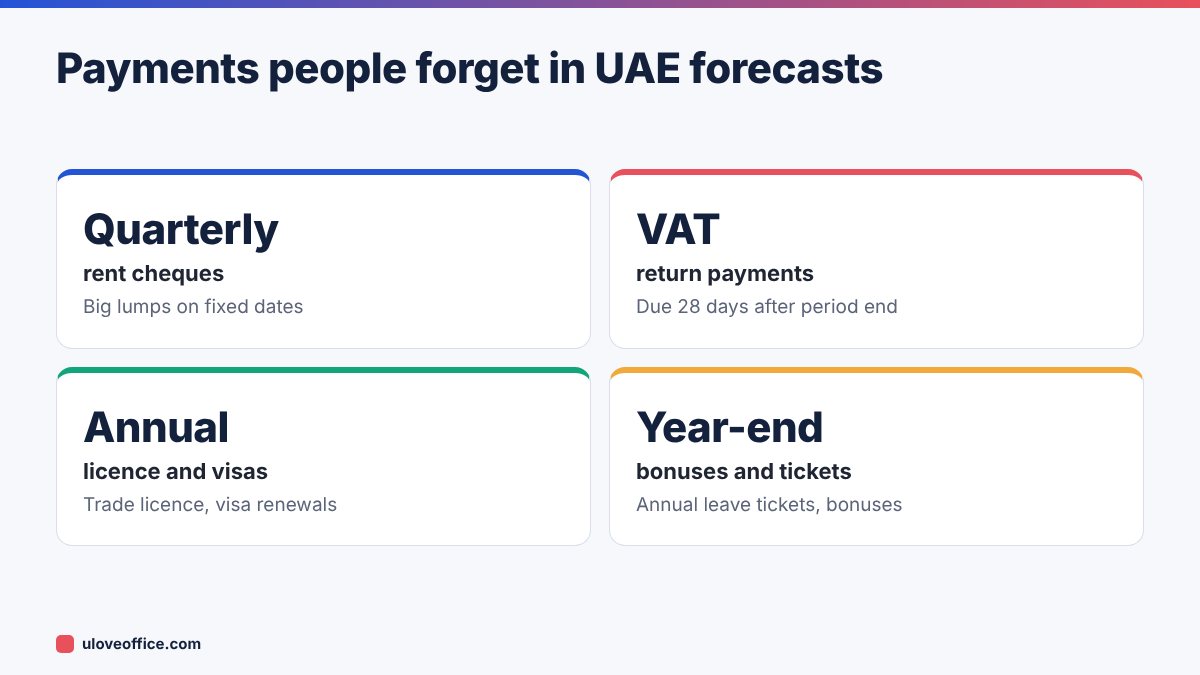
- Rent and service charges (often quarterly or by cheque dates in the UAE).
- Suppliers (from AP aging and expected purchases).
- Utilities and telecoms (DEWA, SEWA, ADDC, internet).
- Loan repayments (use the Loan EMI Calculator to confirm amounts).
- VAT payments on return due dates.
- Corporate tax, licence renewals, visa costs.
- Owner drawings or dividends.
Post-dated cheques are common in the UAE. List them by their cheque date, because that is when the cash leaves.
Step 4: Add the formulas
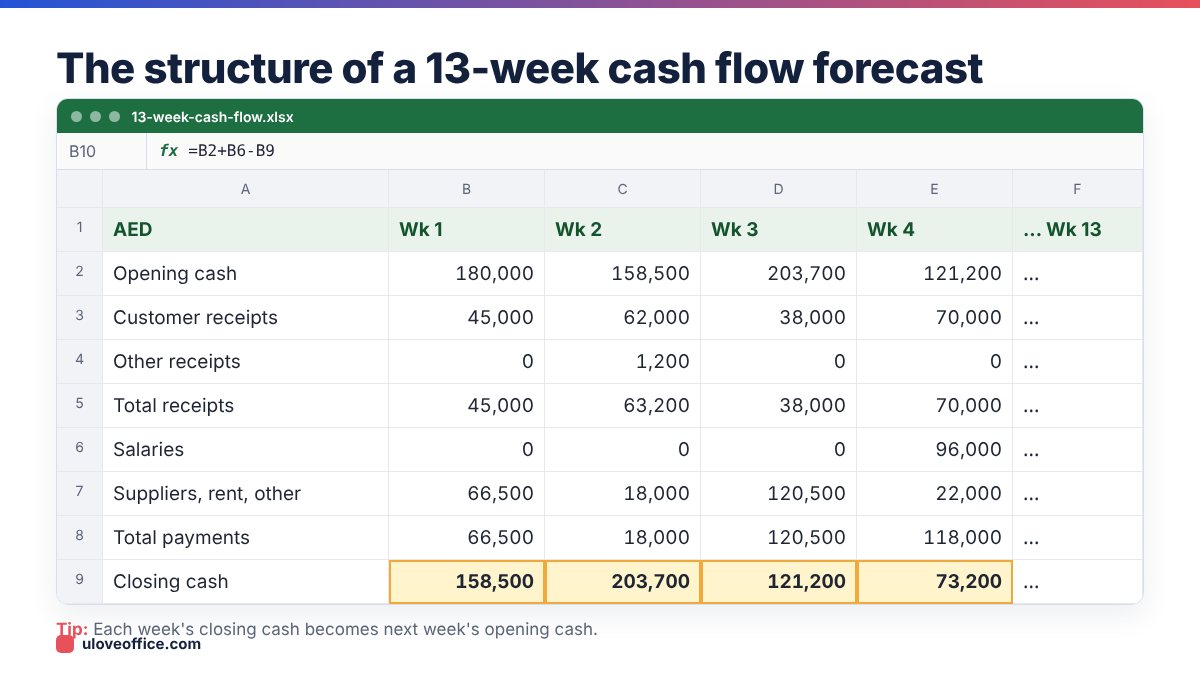
Assume row 3 is Opening cash, rows 5–7 receipts with Total receipts in row 8, rows 10–17 payments with Total payments in row 18, and row 20 Closing cash.
- Total receipts (B8):
=SUM(B5:B7) - Total payments (B18):
=SUM(B10:B17) - Net cash flow (B19):
=B8-B18 - Closing cash (B20):
=B3+B19 - Opening cash for week 2 (C3):
=B20
Copy across to week 13. Only cell B3 (the first opening balance) is typed; everything else flows.
Step 5: Add a minimum cash line and alerts
Decide the minimum cash you want to keep, for example one month of salaries plus rent. Put it in a cell named MinCash. Add a row:
=IF(B20<MinCash,"Below minimum","OK")
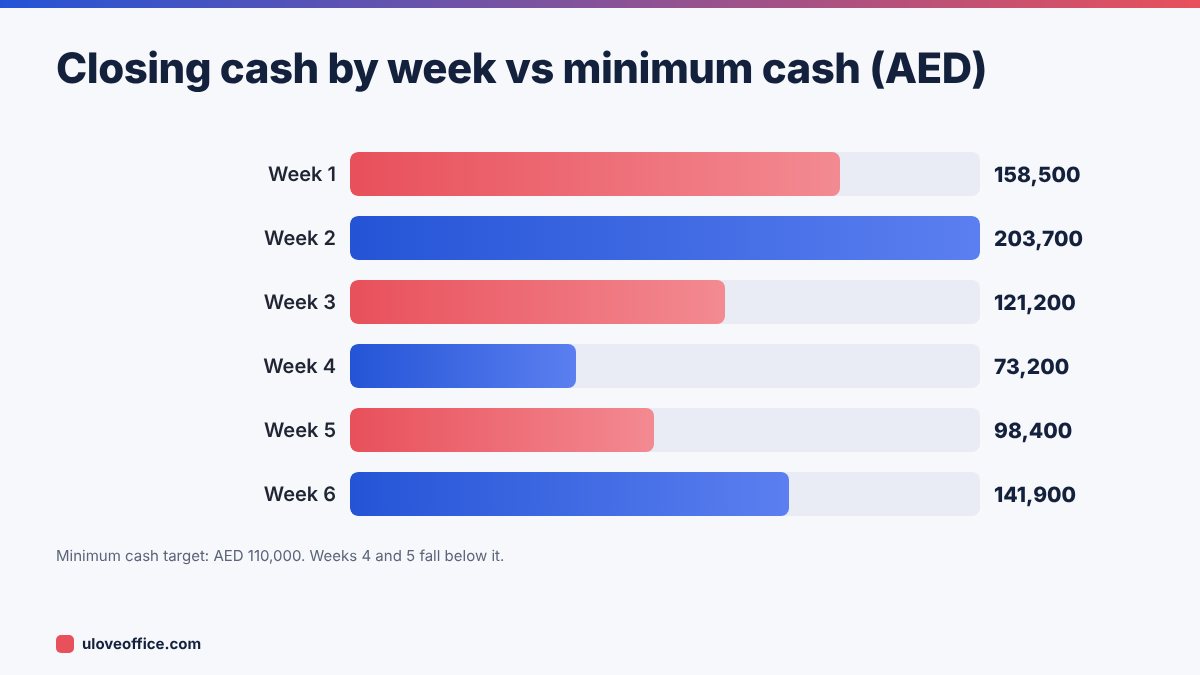
Apply conditional formatting to Closing cash: red fill when below MinCash. Add a line chart of closing cash over the 13 weeks with MinCash as a second line. The weeks where the line dips below are where you need action.
Step 6: Plan actions for weak weeks
When the forecast shows a shortfall, you have options:
- Accelerate collections: call the customers due in that period, offer a small early-payment discount, send statements.
- Delay discretionary payments: move a non-urgent purchase by two weeks.
- Negotiate supplier timing before the due date, not after.
- Split large payments: ask your landlord to split a quarterly cheque.
- Arrange short-term funding in advance: an overdraft or invoice finance facility is easier to agree before you need it.
Add these actions as separate rows (“Action: collect Client A early”) so the forecast shows the effect.

Step 7: Update every week and track variance
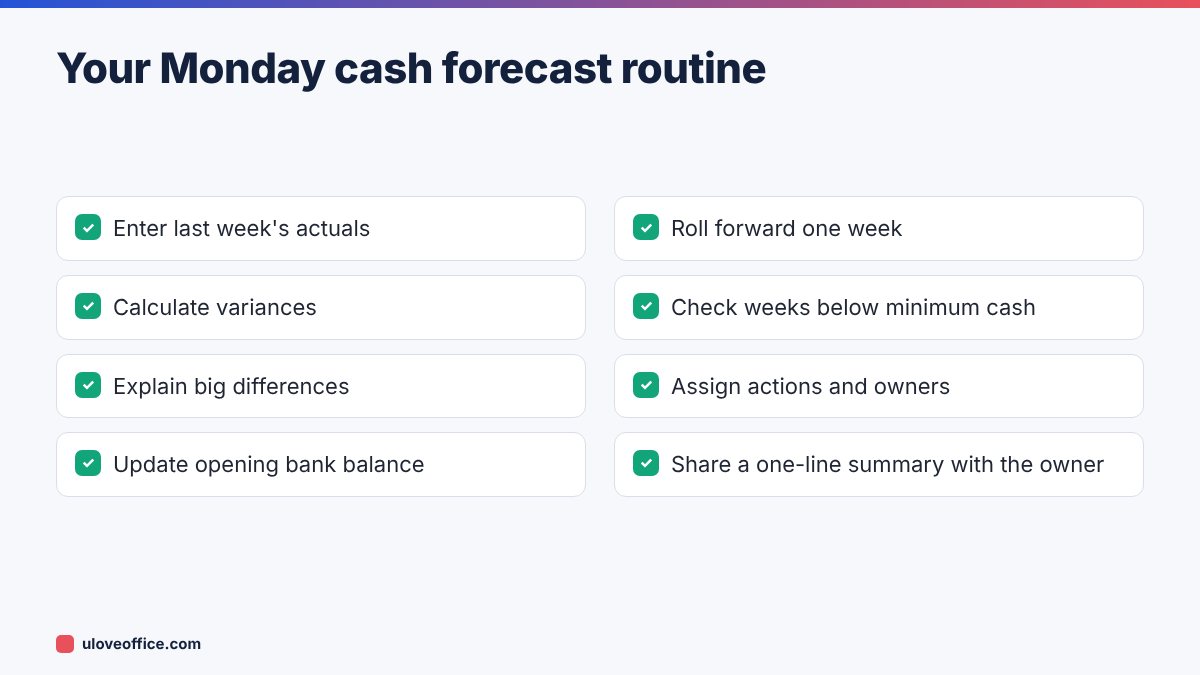
The forecast is useful only if it stays current. Every Monday:
- Enter actual receipts and payments for last week in a separate “Actuals” sheet.
- Compare with what you forecast, line by line. Calculate variance = actual − forecast.
- Ask why big variances happened. Was a customer late? Was a payment forgotten?
- Roll forward: delete the oldest week, add a new week 13, and update the opening balance with the real bank balance.
Over time, the variance review makes your forecast more accurate, because you learn how each customer really pays.
Worked example: a Dubai services company
A 25-person Dubai services company has AED 180,000 in the bank on 2 November. Salaries of AED 96,000 go out in week 4, quarterly rent of AED 95,000 is due by cheque in week 3, and VAT of AED 22,000 is due in week 7. The forecast shows closing cash dropping to AED 73,200 in week 4, below the company’s minimum of AED 110,000.
The finance manager takes three actions: she calls two customers whose invoices are due in week 5 and agrees payment in week 4 (AED 40,000), asks the landlord to split the rent cheque into two (moving AED 47,500 to week 7), and delays a laptop purchase from week 4 to week 8 (AED 12,000). The updated forecast never falls below AED 110,000. Without the forecast, the company would have found out on salary day.
Making the forecast easy to read for owners
Owners and managers rarely want the full grid. Add a small summary area at the top of the sheet with four numbers: lowest closing cash in the next 13 weeks, the week it happens, total expected receipts and total expected payments. Use:
- Lowest balance:
=MIN(B20:N20) - Week of lowest balance:
=INDEX(B1:N1, MATCH(MIN(B20:N20), B20:N20, 0))
Add one sentence underneath, written each Monday, such as “Lowest point AED 73,200 in week 4 due to rent and salaries; actions agreed to keep above AED 110,000.” That sentence is often the only part an owner reads, so make it count.
Using different scenarios
Uncertain receipts can swing the forecast. Keep three versions on separate sheets, or use a scenario cell with values 1, 2 and 3:
- Base case: your realistic view of collections.
- Downside: your two largest customers pay three weeks later than expected.
- Upside: an expected new contract starts on time.
Multiply uncertain receipt rows by a factor that changes with the scenario, using CHOOSE(Scenario, 1, 0.7, 1.1) or shift them by weeks. If the downside case still stays above your minimum cash, you can relax. If not, arrange a funding backup now.
Common mistakes
- Using profit figures instead of cash. Depreciation and accruals are not cash.
- Assuming customers pay on terms. Use actual payment behaviour.
- Forgetting VAT or forecasting it in the wrong week.
- Never updating. A forecast from six weeks ago is fiction.
- Too much detail. Fifty payment lines make the forecast hard to maintain. Group sensibly.
📘 Continue reading
Frequently asked questions
Should I use the direct or indirect method?
For a 13-week forecast, use the direct method: actual receipts and payments. The indirect method, starting from profit, suits longer-term forecasts.
How accurate should it be?
Aim for closing cash within a few percent in weeks 1–4. Later weeks are less certain, which is why you roll forward weekly.
Can I use it to talk to my bank?
Yes. Banks and lenders in the UAE often ask for short-term cash forecasts when reviewing facilities.
Do I need accounting software?
No. Excel is enough. Accounting software makes collecting AR and AP data faster.
Key takeaways
- Forecast cash, not profit: real receipts and payments by week.
- Use realistic customer payment behaviour, not contractual terms.
- Link each week’s closing cash to the next week’s opening cash.
- Set a minimum cash level and act early on weeks that fall below it.
- Update every Monday, compare actuals and roll forward one week.
Conclusion
A 13-week cash flow forecast is one of the most practical tools a small business can build. Set up the weeks, list realistic receipts and payments, link opening and closing cash, add a minimum cash alert and update it every Monday. You will see shortfalls weeks in advance, while you still have options, rather than on the day salaries are due.
Last checked: 9 November 2026.