
Quotation Format UAE: Free Sample & Generator
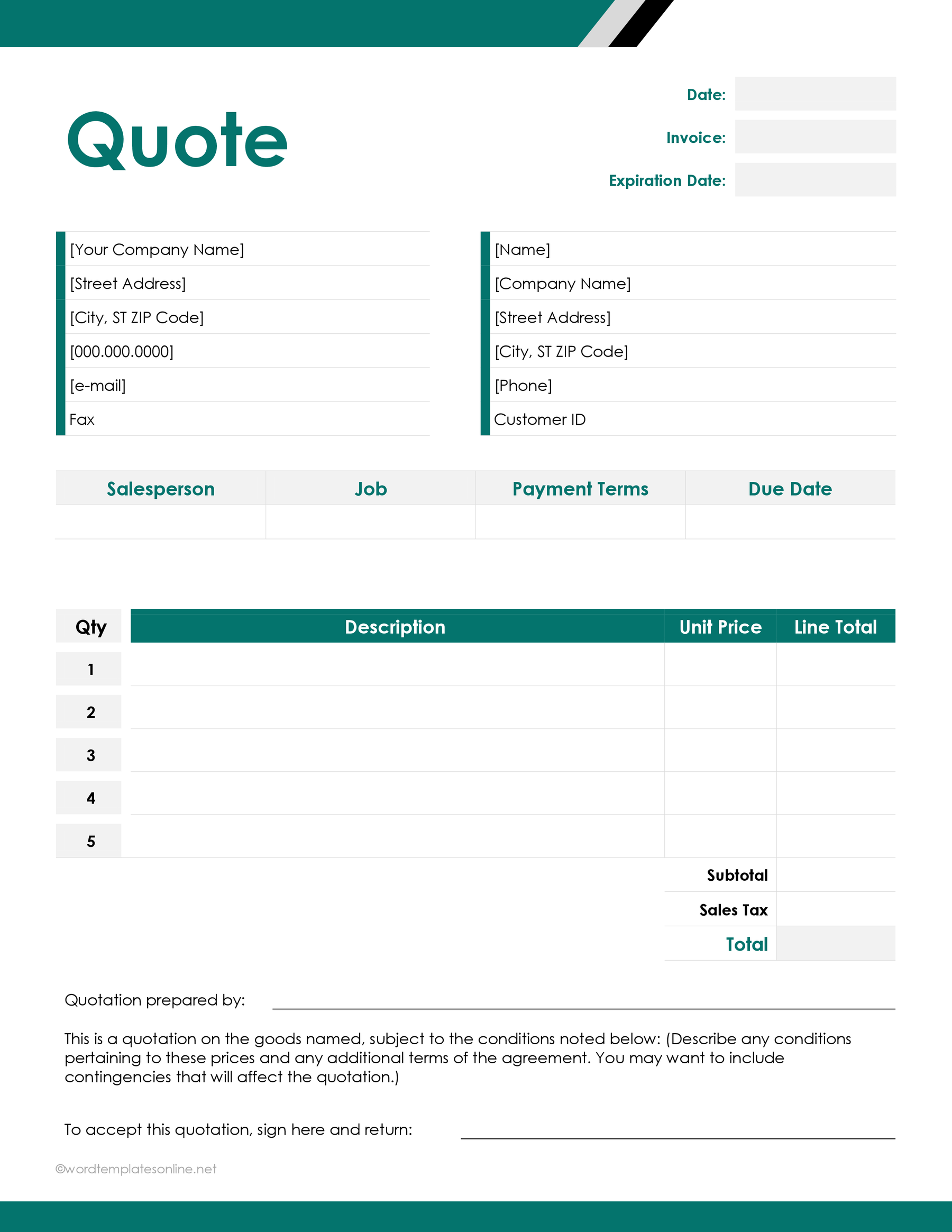
Quotation format UAE: sample + free generator
If you need a professional quotation format UAE, the easiest solution is to use an online quotation generator. A well-formatted quotation clearly outlines the products or services offered, pricing, validity period, payment terms, and business details, helping customers make informed decisions before placing an order. With a free quotation format UAE generator, you can create professional quotations, download them as PDF files, and share them with clients in just a few minutes without designing documents manually.
What is a quotation?
A quotation is a formal business document that provides an estimated price for products or services before work begins.
Unlike an invoice, which requests payment after goods or services have been delivered, a quotation is issued before the customer confirms the order.
Businesses across the UAE commonly use quotations for:
- Construction projects
- IT services
- Property maintenance
- Consulting services
- Interior design
- Equipment supply
- Trading businesses
- Marketing services
- Freelance work
A professional quotation creates a clear agreement between the business and the customer before work starts.
Why use a professional quotation format in the UAE?
Using a consistent quotation format UAE offers several advantages:
- Professional presentation
- Clear pricing
- Reduced misunderstandings
- Faster client approval
- Better record keeping
- Easier conversion into invoices
- Improved business credibility
Clients are more likely to trust quotations that are well organized and easy to understand.
What should a quotation include?
A professional quotation should contain the following sections.
Business details
Include:
- Company name
- Company logo
- Address
- Phone number
- Email address
- Website
- VAT Registration Number (if applicable)
Customer details
Include:
- Customer name
- Company name
- Address
- Contact details
Quotation details
Add:
- Quotation number
- Issue date
- Validity period
- Currency (AED)
Products or services
For each item include:
- Description
- Quantity
- Unit price
- Total price
Pricing summary
Show:
- Subtotal
- VAT (if applicable)
- Grand total
Terms and conditions
Include information such as:
- Payment terms
- Delivery timeline
- Warranty
- Validity period
- Acceptance requirements
How to create a quotation online
Creating a quotation is simple.
Step 1: Open the quotation generator
Visit the Quotation Generator on uLoveOffice.com.
Step 2: Enter company details
Fill in:
- Business name
- Address
- Contact information
- Company logo
Step 3: Enter customer details
Provide:
- Customer name
- Company
- Contact details
- Address
Step 4: Add quotation information
Enter:
- Quotation number
- Date
- Valid until date
- Currency
Step 5: Add products or services
For each item enter:
- Description
- Quantity
- Unit price
The quotation generator automatically calculates line totals.
Step 6: Add VAT if applicable
If your business is VAT registered, enter the applicable VAT rate.
The generator automatically calculates the VAT amount and final total.
Step 7: Generate the quotation
Click Generate Quotation.
The system creates a professionally formatted quotation PDF.
Step 8: Download or print
Download the quotation as a PDF and send it to your customer by email or print it for signature.
Worked example
A Dubai-based IT company receives a request for a small business website.
The quotation includes:
- Website Design – AED 3,500
- Website Development – AED 5,500
- Domain Registration – AED 250
- One Year Hosting – AED 750
Subtotal: AED 10,000
VAT (5%): AED 500
Grand Total: AED 10,500
The quotation is generated as a professional PDF, complete with company branding, quotation number, payment terms, and a 30-day validity period. The client reviews the quotation and approves the project without requesting any changes.
Benefits of using an online quotation generator
Compared to manually creating quotations in Word or Excel, an online generator offers:
- Professional templates
- Automatic calculations
- VAT calculation
- PDF download
- Mobile compatibility
- Unlimited quotations
- Faster document creation
- Consistent branding
- Easy editing
- Print-ready format
These advantages help businesses respond to customer enquiries more efficiently.
Tips for writing better quotations
To increase the chances of winning business:
- Use clear service descriptions.
- Avoid hidden charges.
- Include quotation validity.
- Mention payment terms.
- Clearly explain deliverables.
- Add company branding.
- Include VAT where applicable.
- Review calculations before sending.
A detailed quotation reduces misunderstandings and builds customer confidence.
Common industries using quotations
Professional quotations are commonly used by:
- Construction companies
- IT firms
- Marketing agencies
- Property management companies
- Interior designers
- Freelancers
- Cleaning companies
- Maintenance contractors
- Retail suppliers
- Trading companies
Regardless of the industry, a consistent quotation format creates a more professional impression.
Frequently asked questions
What is a quotation format UAE?
A quotation format UAE is a professional document template used to provide customers with pricing details before goods or services are supplied.
Is a quotation the same as an invoice?
No. A quotation is issued before a customer confirms an order, while an invoice is issued after products or services have been delivered.
Can I create quotations online for free?
Yes. Online quotation generators allow you to create professional quotations, download them as PDF files, and print them without installing software.
Should a quotation include VAT?
If your business is registered for VAT and the quoted supply is taxable, the quotation should clearly indicate VAT where appropriate.
Can I generate unlimited quotations?
Many online quotation generators allow unlimited quotation creation without requiring registration or subscription fees.
Conclusion
Using the correct quotation format UAE helps businesses present professional pricing, improve customer confidence, and simplify the sales process. Instead of creating quotations manually, an online quotation generator automatically calculates totals, prepares a polished PDF, and allows unlimited quotation creation. Whether you provide products or services, a professionally formatted quotation helps you respond quickly and consistently. Visit uLoveOffice.com to create your quotation online for free and download a professional PDF within minutes.