
Company profile template: structure & free download
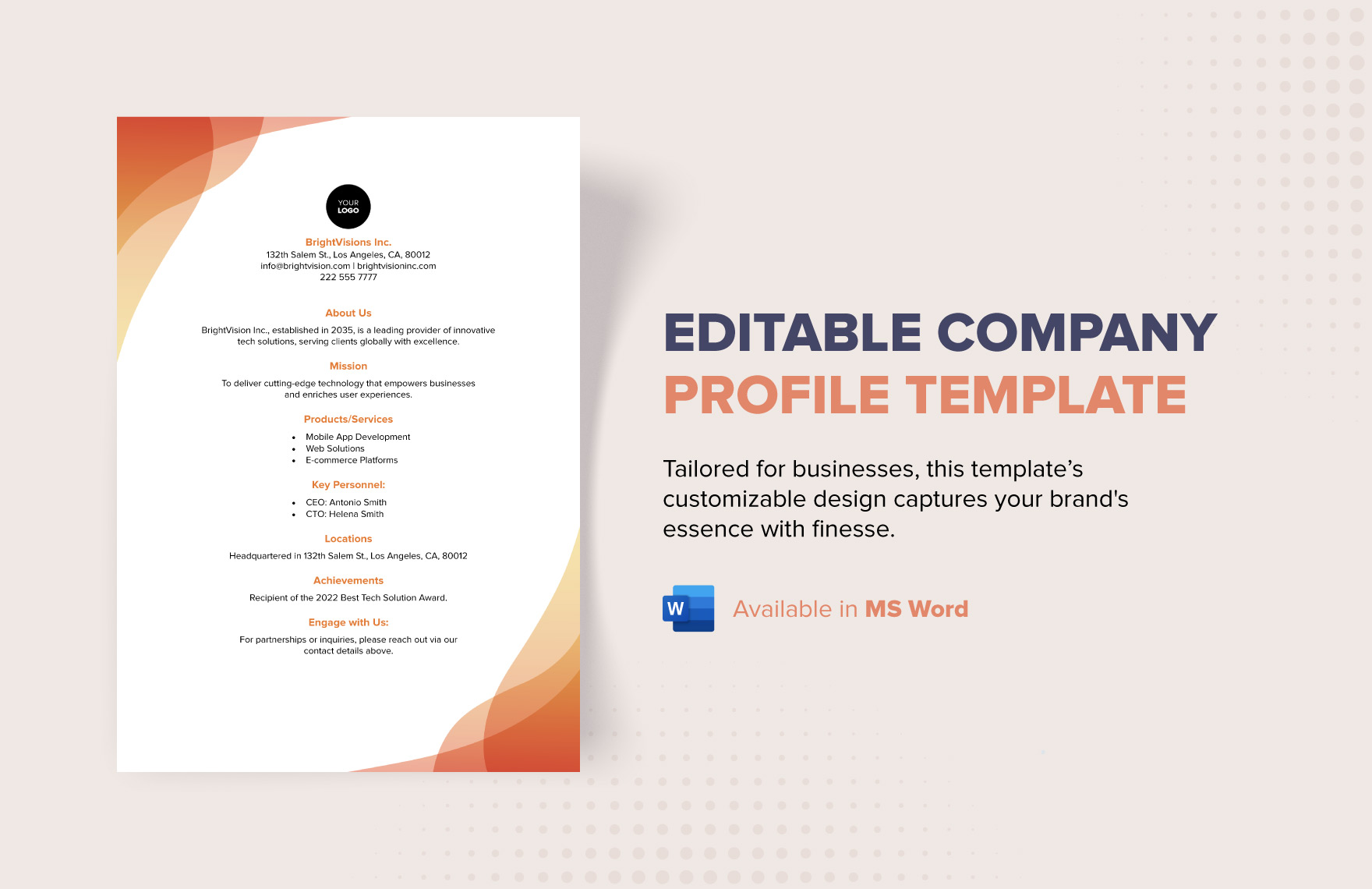
Company profile template: structure & free download
Use this company profile template to present your business clearly. Follow the structure, AED example and practical steps, then download and edit it online.
A company profile template gives you a ready-made structure for introducing your business to clients, suppliers, partners, banks, procurement teams and other readers. Start with your company name and one-line description, then add an overview, history, products or services, key strengths, projects or clients, team information and contact details. Keep every section factual, brief and easy to scan. A free editable template can save time because you replace placeholders instead of designing the document from a blank page. Once the content is complete, export a clean PDF for sharing and keep an editable Word copy for future updates.
What a company profile template should include
A useful company profile is more than a long “About us” paragraph. Current business-profile guidance commonly includes the company’s purpose, history, products or services, team, contact information, achievements and supporting proof such as projects, certifications or testimonials. The exact sections depend on who will read the profile. A two-page profile for a sales introduction can be shorter than a version prepared for a tender or supplier-registration process.
Build one master company profile, then create shorter versions for different uses. Keep core facts consistent: company name, website, contacts, date established, locations and business activities. Avoid unsupported claims such as “market leader” unless you have evidence.
How to create a company profile step by step
Step 1: Start with a clear company header
Place the company name, logo, website and main contact information at the top. Add a short descriptor explaining what the business does, such as “commercial cleaning and facilities support in Dubai” or “B2B software implementation for UAE SMEs.” A reader should understand your category without searching through several paragraphs.
Step 2: Write a short company overview
Use three to five sentences to explain who you are, what you provide, where you operate and who you serve. Avoid turning the opening into a full history. Give the reader enough context to decide whether the rest of the profile is relevant.
Step 3: Add the company story and key facts
Include the year the company started, major milestones and any changes that help explain the present business. Keep dates accurate. If useful, add a compact facts section with office locations, number of service areas, industries served or other verified operating information. For a UAE business profile, include registration or licence information only when it is appropriate for the audience and has been checked against current records.
Step 4: Explain products or services
List the main products or services in plain language. For each one, explain the result the customer receives rather than writing only internal product names. If the company serves several industries, group the offer into categories. A short service list with one sentence per item is easier to scan than a dense paragraph containing every capability.
Step 5: Show proof and differentiators
Use evidence to support the profile. Depending on the business, this can include completed projects, client sectors, case-study results, certifications, awards, testimonials, geographic coverage or specialist capabilities. Only name clients or publish logos when you have permission to do so. If you cannot identify a client publicly, describe the project in a neutral way, such as “regional retail group” or “UAE-based logistics company.”
Step 6: Add team and leadership information
Introduce the people who matter to the reader. A small business may show the founder and key managers; a larger company may use a leadership summary or organisation chart. Keep biographies short and relevant.
Step 7: Finish with contact details and a call to action
End with a clear next step. Give the business email, phone number, website and relevant office location. If the document is intended for sales, invite the reader to request a proposal, quotation or meeting. If it is for supplier onboarding, state who should be contacted for compliance documents or additional company information.
Worked example with AED figures
Assume a Dubai maintenance company is preparing a company profile to approach property managers. It provides annual maintenance packages priced from AED 18,000 and has completed a recent office refurbishment project worth AED 95,000. The profile should not simply say “we provide affordable maintenance.” It can present useful, checkable information: the company’s service areas, the types of properties served, the AED 18,000 starting package, and the AED 95,000 project as a short case example if the client details are permitted for publication.
Suppose the company estimates that a typical AED 18,000 package carries AED 12,000 in direct service cost. The difference is AED 6,000. This is also a useful place for office managers to understand markup vs margin. The markup is AED 6,000 divided by AED 12,000, or 50%. The gross margin is AED 6,000 divided by AED 18,000, or about 33.3%. Those percentages are not interchangeable, so any financial figures placed in a profile, proposal or case study should be labelled correctly.
Simple company profile structure you can copy
A practical company profile template can follow this order: cover page; company overview; mission or purpose; company history; products or services; industries served; strengths and differentiators; selected projects or achievements; team or leadership; certifications or credentials; contact information. Optional sections include testimonials, geographic coverage, sustainability information, equipment or facilities, and frequently requested corporate details.
For a short profile, combine related sections. History and overview can share one page, while services and industries can sit together. For tenders, expand projects, capabilities and credentials. Adapt the template to the reader.
How to format the profile for Word and PDF
Use consistent headings, one or two typefaces, enough white space and images that genuinely support the content. Keep paragraph lengths short. Use tables sparingly for facts such as locations, licences or service categories. When the editable version is approved, save a Word copy for future changes and export a PDF for distribution so the layout is less likely to shift between devices.
Before sending the PDF, test links, phone numbers and email addresses, inspect image quality and remove outdated prices or certifications. Add a version date to the editable master so older copies are easier to identify.
Can I use a company profile template free unlimited times?
A reusable template can be edited for multiple proposals, departments or audiences, but “free unlimited” should describe the actual terms of the live tool or download. If the uloveoffice.com company profile template can be opened, copied or generated repeatedly without a stated account, download or usage cap, that feature can be described as free unlimited use. If the live service has limits, publish the real limit instead of using unlimited as a generic SEO phrase.
For repeated use, keep one master profile with approved company facts. Duplicate it when you need a version for a new audience, then remove irrelevant sections rather than rewriting the business description from scratch. This gives sales, administration and management a more consistent source document.
Frequently asked questions
What is a company profile template?
It is a structured document with sections for the key information used to introduce a business. Typical sections cover the company overview, history, mission, products or services, team, projects, achievements and contact details. The placeholders are replaced with the organisation’s own verified information.
What should I write in a company profile?
Explain what the company does, who it serves, where it operates and why a reader should consider it. Add useful proof such as relevant projects, credentials or measurable results. Keep marketing language specific and avoid claims you cannot support.
How many pages should a company profile be?
There is no universal page count. A short sales profile can be a few pages, while a tender or supplier profile may need more detail. Use the shortest length that gives the intended reader the information required to understand and assess the business.
Can I make a company profile in Word?
Yes. Word is suitable for an editable master company profile because headings, tables, images and page layouts can be updated as the business changes. When the document is ready to distribute, exporting a PDF provides a more consistent sharing format.
What is the difference between a company profile and a business proposal?
A company profile introduces the organisation and its capabilities. A business proposal is normally written for a specific opportunity and explains the proposed solution, scope, price, schedule and commercial terms. The company profile can be attached to or referenced in a proposal.
Conclusion
A strong company profile template makes business information easier to organise, update and reuse. Build it around a clear overview, services, evidence, team details and contact information, then tailor the master version for each audience. Check every fact before publishing and keep financial terms such as markup vs margin correctly labelled. To get started faster, open the company profile template on uloveoffice.com, replace the placeholders with your own information and save an editable master plus a clean PDF for sharing.
Screenshots needed from the live tool
- Step 1 — Company profile template landing page showing the free template or start button.
- Step 2 — Template editor or first input screen with company name, logo and contact fields.
- Step 3 — Company overview / About section being completed.
- Step 4 — Products or services section with sample entries.
- Step 5 — Projects, achievements or credentials section.
- Step 6 — Preview of the completed company profile.
- Step 7 — Download/export screen showing the available Word or PDF action.
Internal links to add
- Target tool: Company Profile Template on uloveoffice.com — insert the exact live URL.
- Related article: Markup vs margin: the difference with worked examples.
- Related article: 10 Excel formulas every office manager should know in 2026.
- Related article: Cover letter for Dubai jobs: samples that work, if relevant to the site’s business-document cluster.
Sources for factual claims
- Indeed Career Guide — How to Create a Company Profile (With Template and Example), updated July 30, 2026: https://www.indeed.com/career-advice/career-development/how-to-create-a-company-profile
- Indeed Career Guide — How To Design a Business Profile Template (With Examples), updated June 15, 2026: https://www.indeed.com/career-advice/career-development/designing-a-business-profile-template
- Daftra — Company profile template in UAE Excel, Docs, PDF, published May 20, 2026: https://www.daftra.com/en/templates/company-profile-template-uae
Editorial note: Verify the exact uloveoffice.com template URL, supported download formats, account requirements and any free/unlimited usage claims against the live tool before publication.